You can enable two-factor authentication by following the steps below.
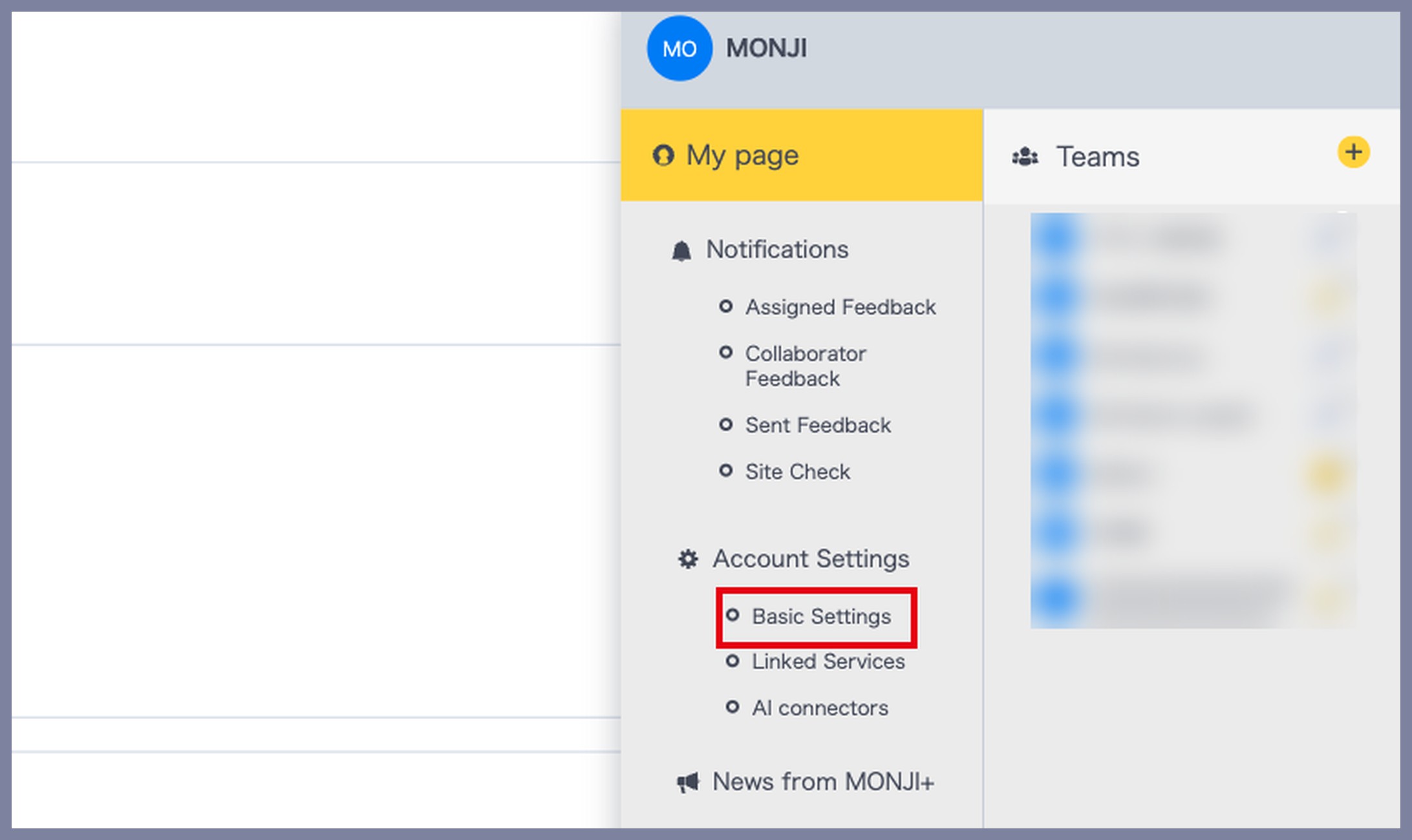
1. Go to “Account Settings > Basic Settings”
Hover over your user icon in the upper-right corner of the screen, then click Account Settings > Basic Settings from the menu.
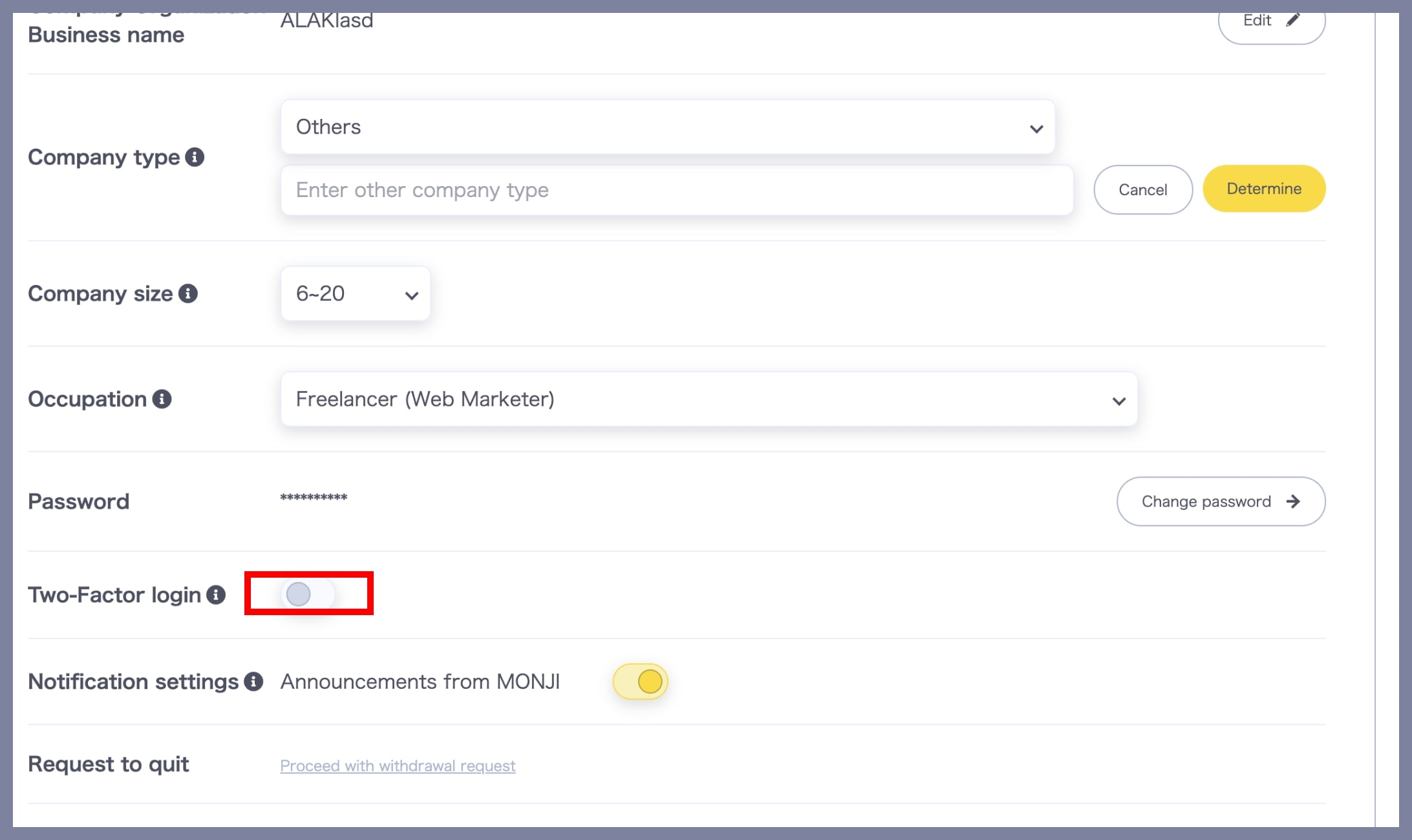
2. Turn on “Two-Factor Authentication”
On the Account Settings > Basic Settings screen, click the toggle next to Two-Factor Authentication. When the button turns yellow, two-factor authentication is enabled.
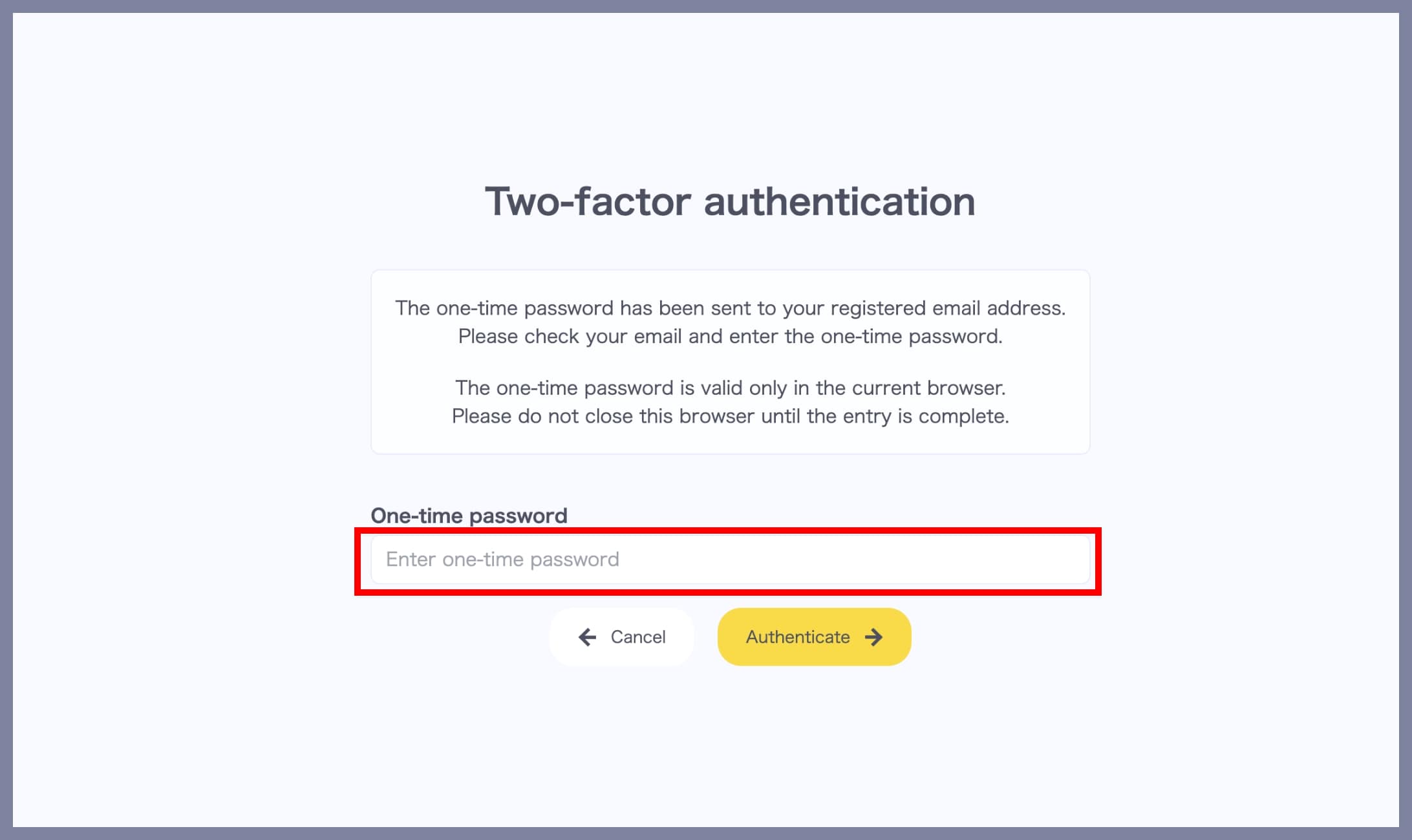
3. Log in using a One-Time Password
Starting from your next login, after clicking the Login button on the login screen, a One-Time Password (OTP) will be sent to your registered email address. Follow the on-screen instructions to enter the OTP and complete your login.