









You can view your receipts by following the steps below.
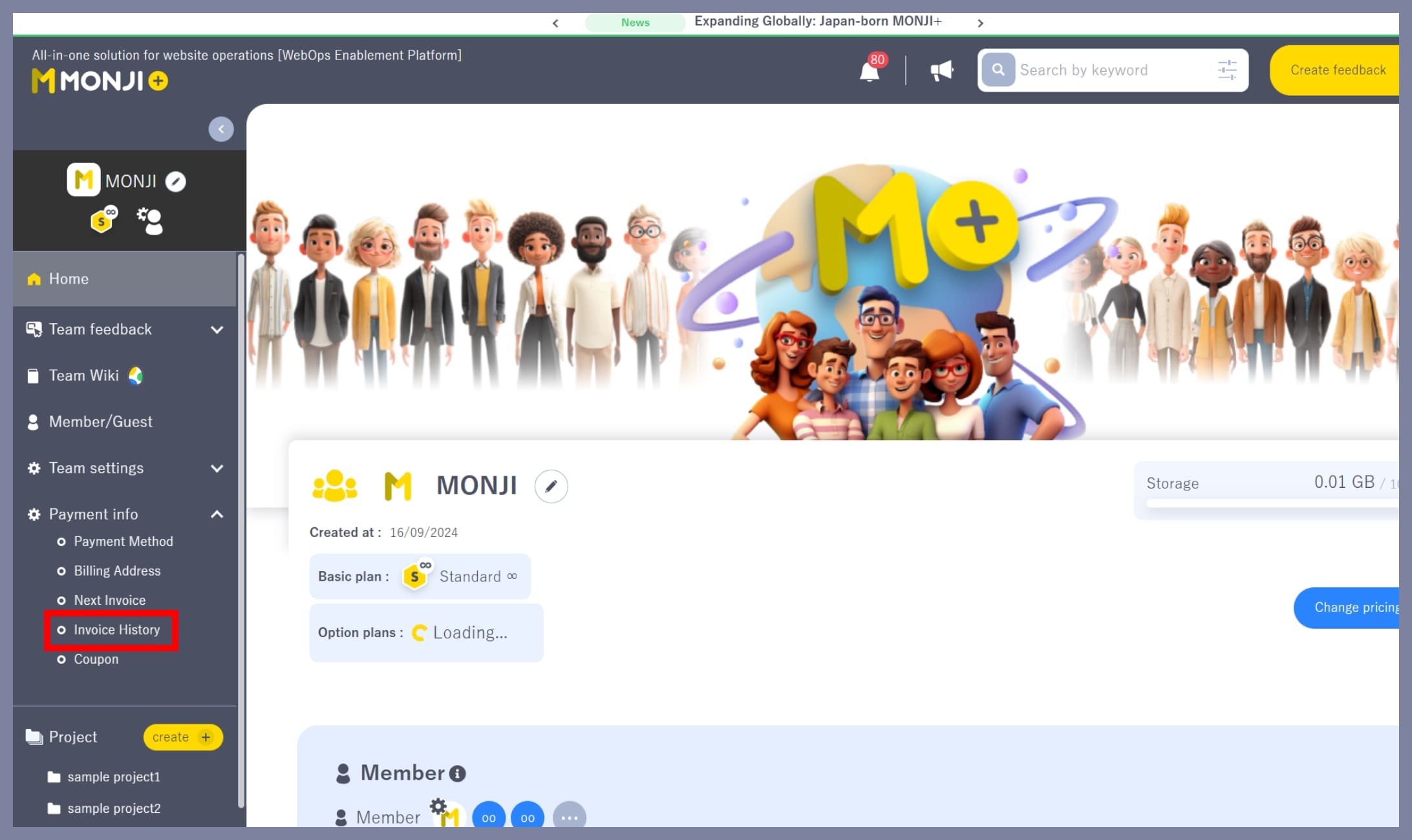
1. Go to “Billing Info > Billing History”
From the team side menu (the left sidebar), click Billing Info > Billing History.
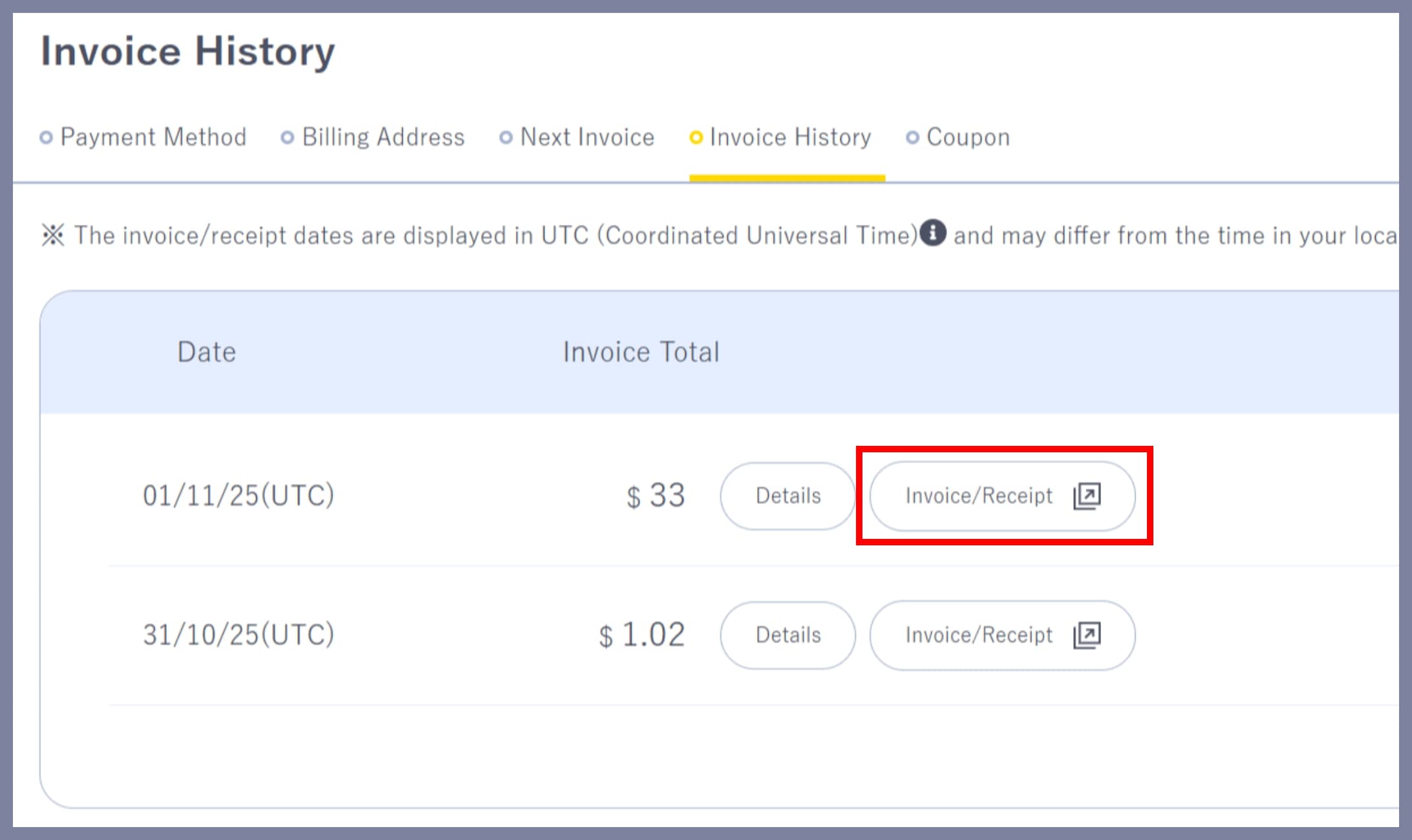
2. Click “Invoice/Receipt” next to the billing record
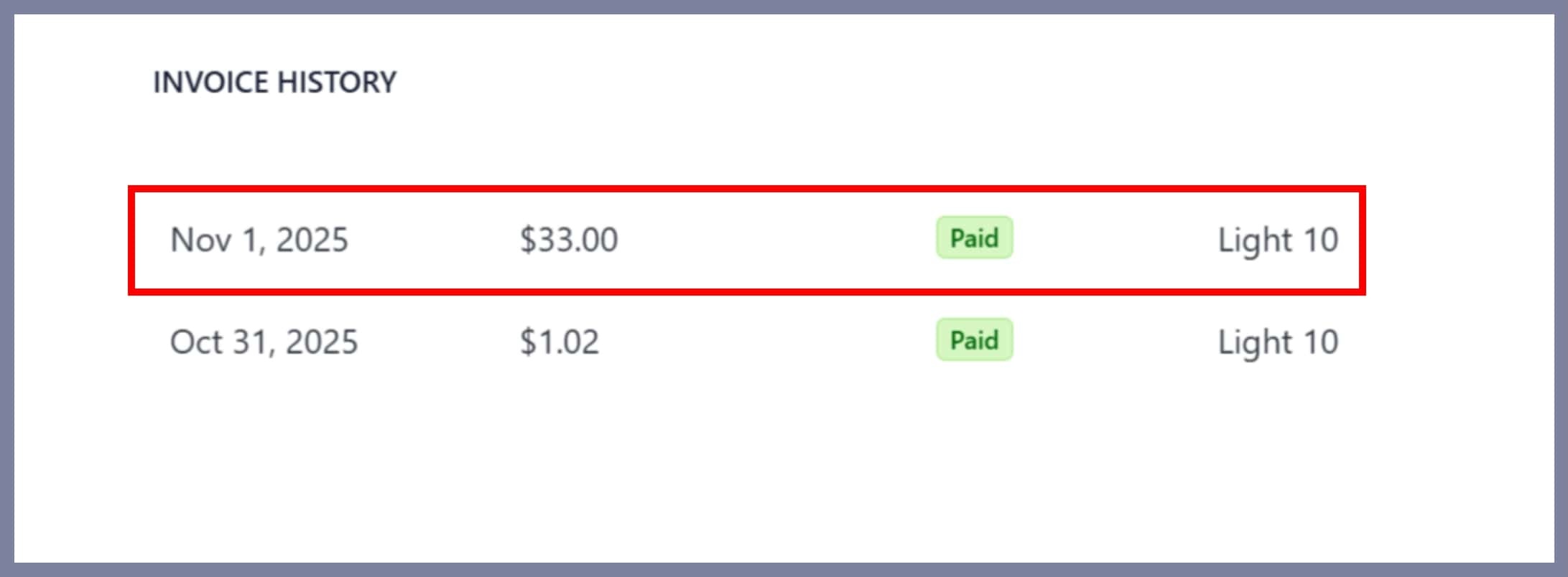
3. Go to the Stripe page and check the invoice details in Invoice History
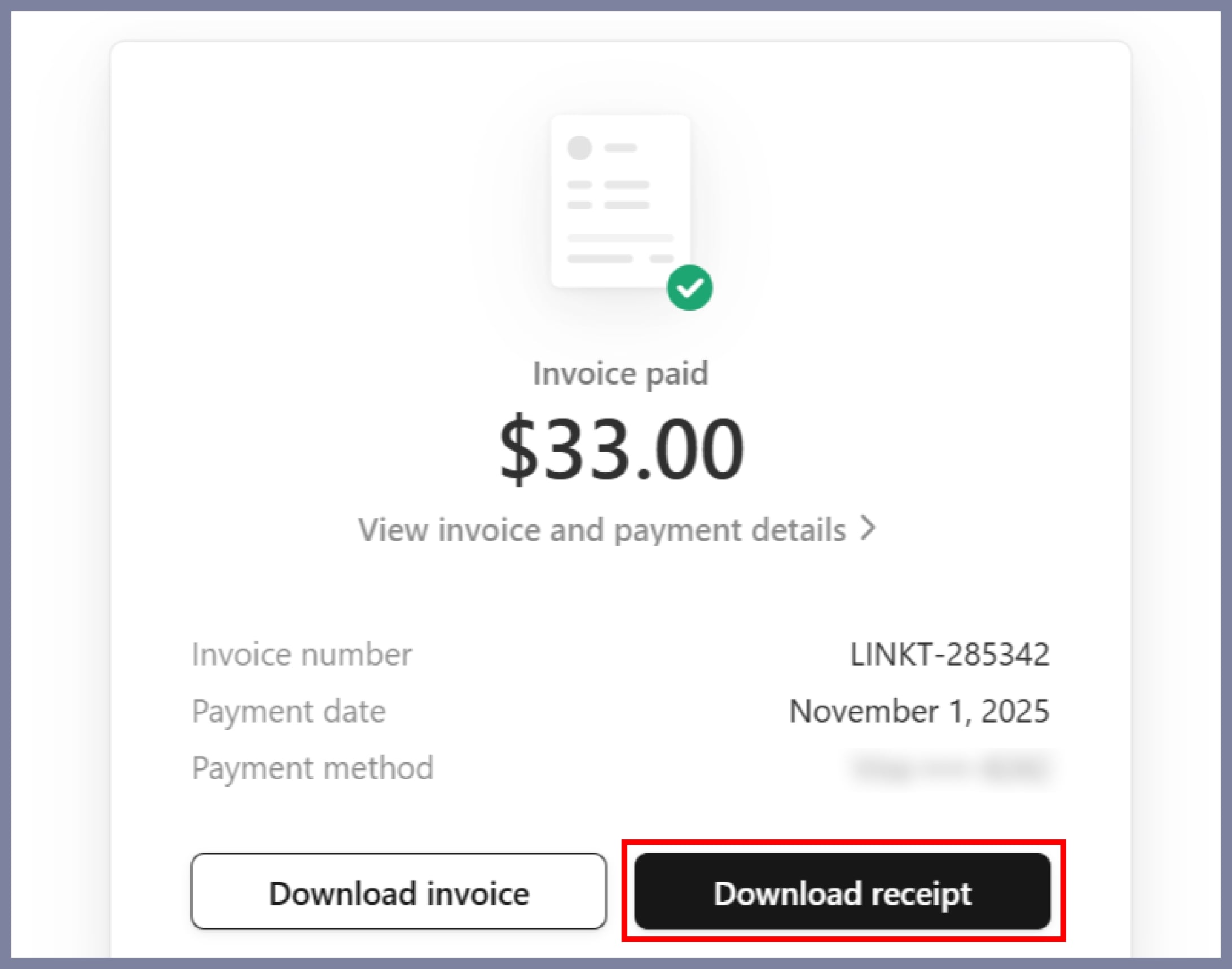
4. Click “Download Receipt”
*Only the team Owner or Admin can view receipts.
*Members and Guests cannot access the Billing History page.