









You can cancel your paid plan by following these steps:
Only the Team Owner can cancel the plan. Members and Guests cannot cancel the plan.
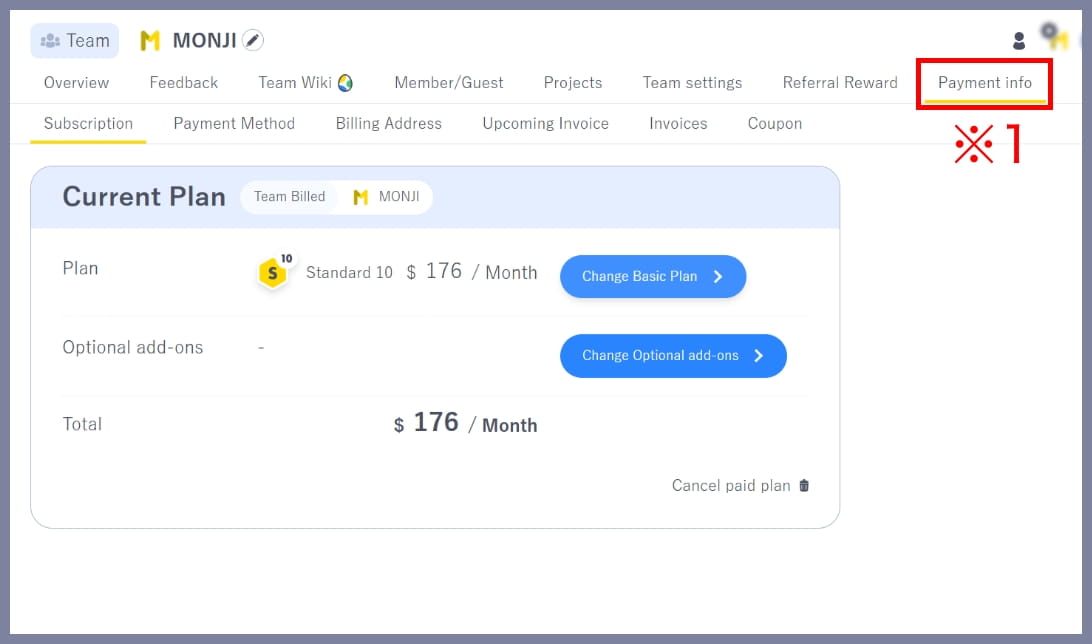
1.Go to Payment info > Subscription
Click Payment info (※1) in the team menu to open the Plan page.
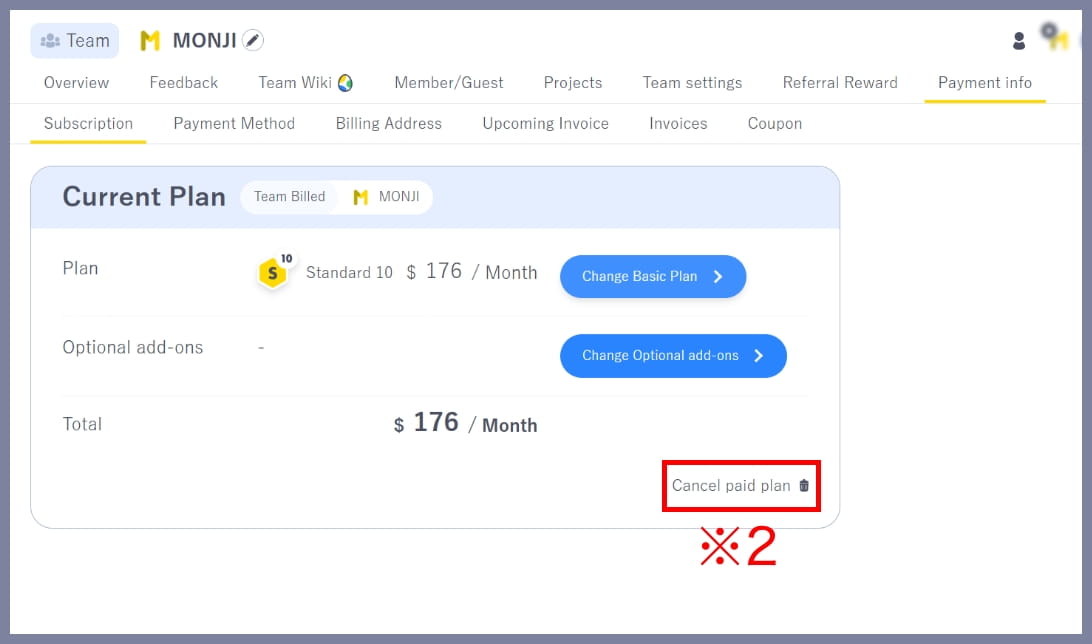
2.Start cancellation
Click Cancel paid plan (※2) in the bottom-right corner.
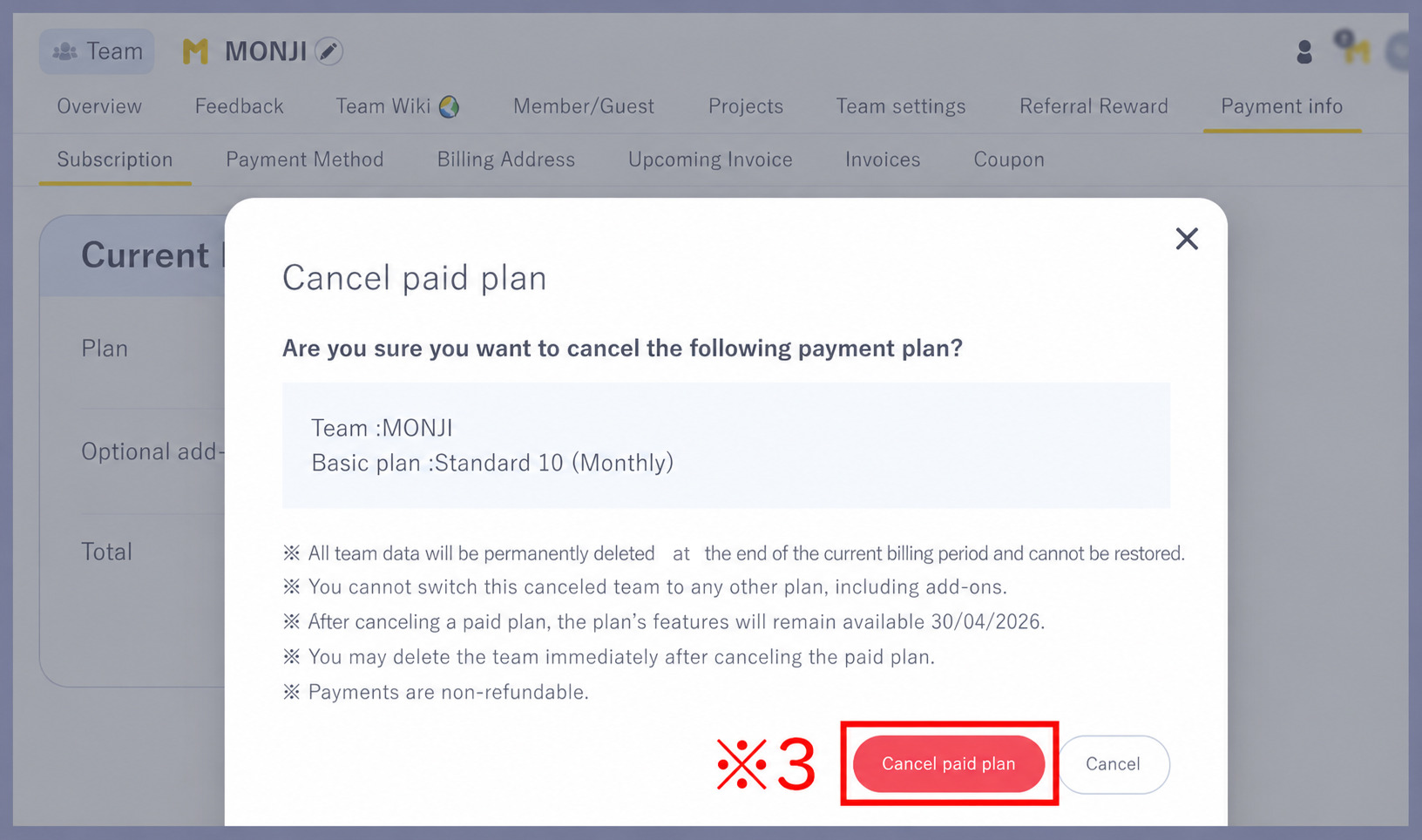
3.Cancel the plan
Review the notes, then click Cancel paid plan (※3) in the bottom-right corner.
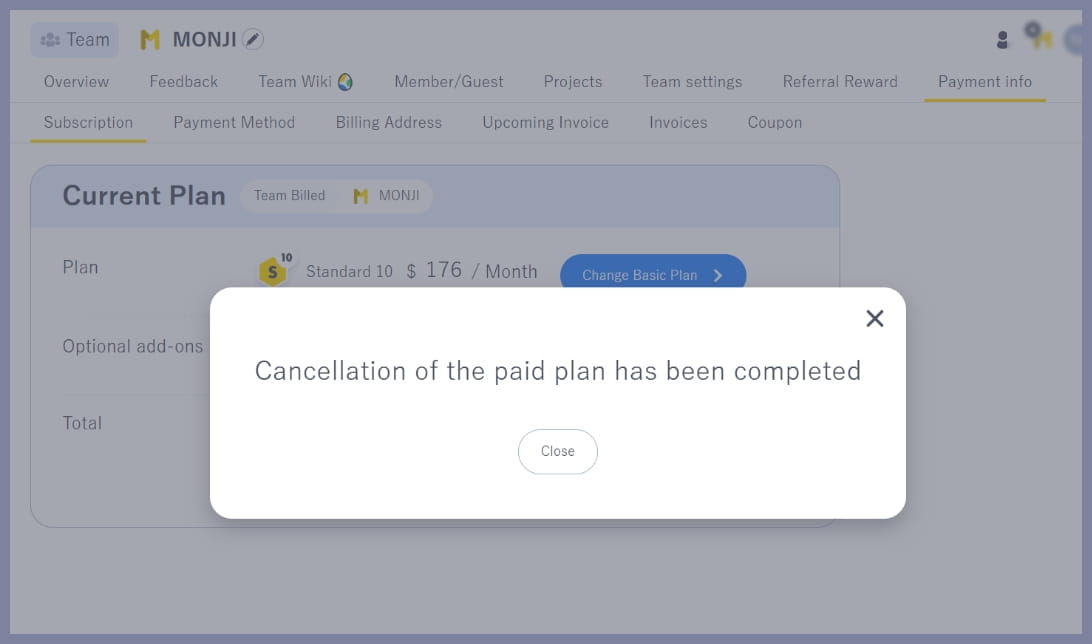
4.Done
When you see Cancellation of the paid plan has been completed, the process is complete.
All team data will be permanently deleted at the end of the current billing period and cannot be restored.
You can continue using your current plan features until the last day of the current billing period.
Billing periods run from the 1st to the end of each month for teams that subscribed by October 21, 2026, and monthly from the sign-up date for teams that subscribed on or after October 22, 2026.