









You can apply for an Optional Plan by following the steps below.
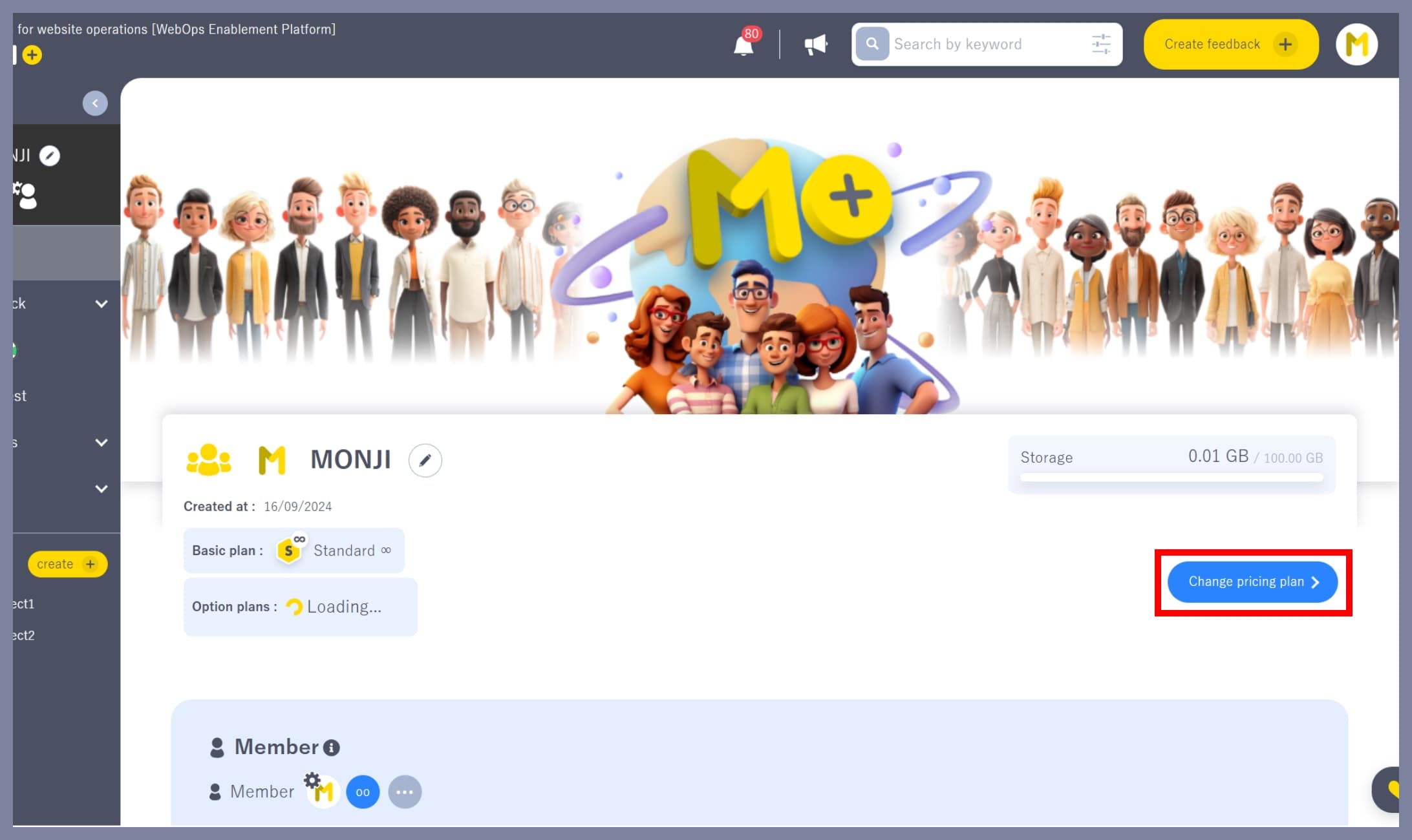
1. Go to the “Change Plan” screen
On the team home screen, click the Change Plan button.
2. Select an Optional Plan
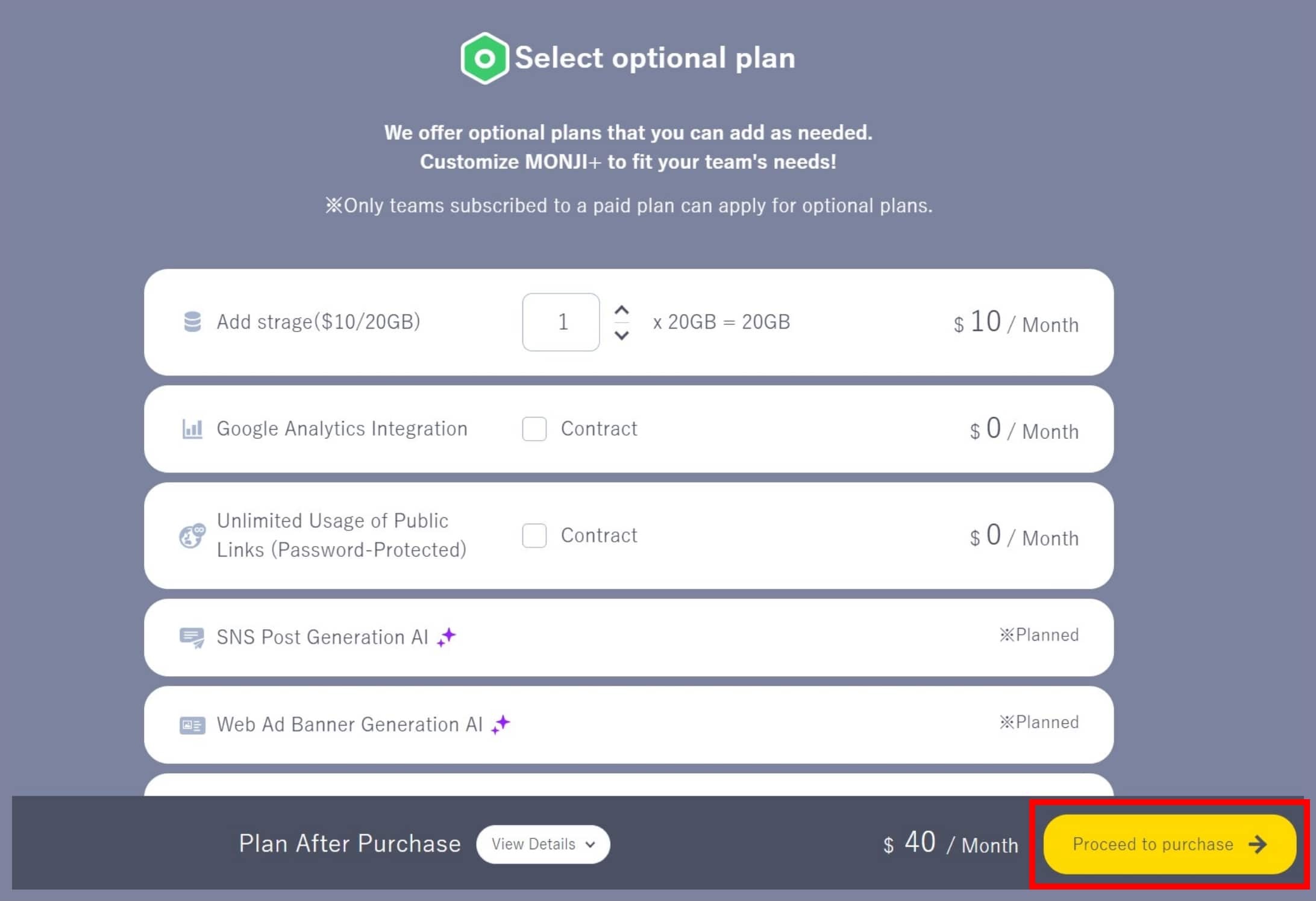
In the Optional Plan Selection section at the bottom of the screen, choose the Optional Plan you want to purchase.

3. Proceed to purchase
Click the Proceed to Purchase button at the bottom right of the screen.
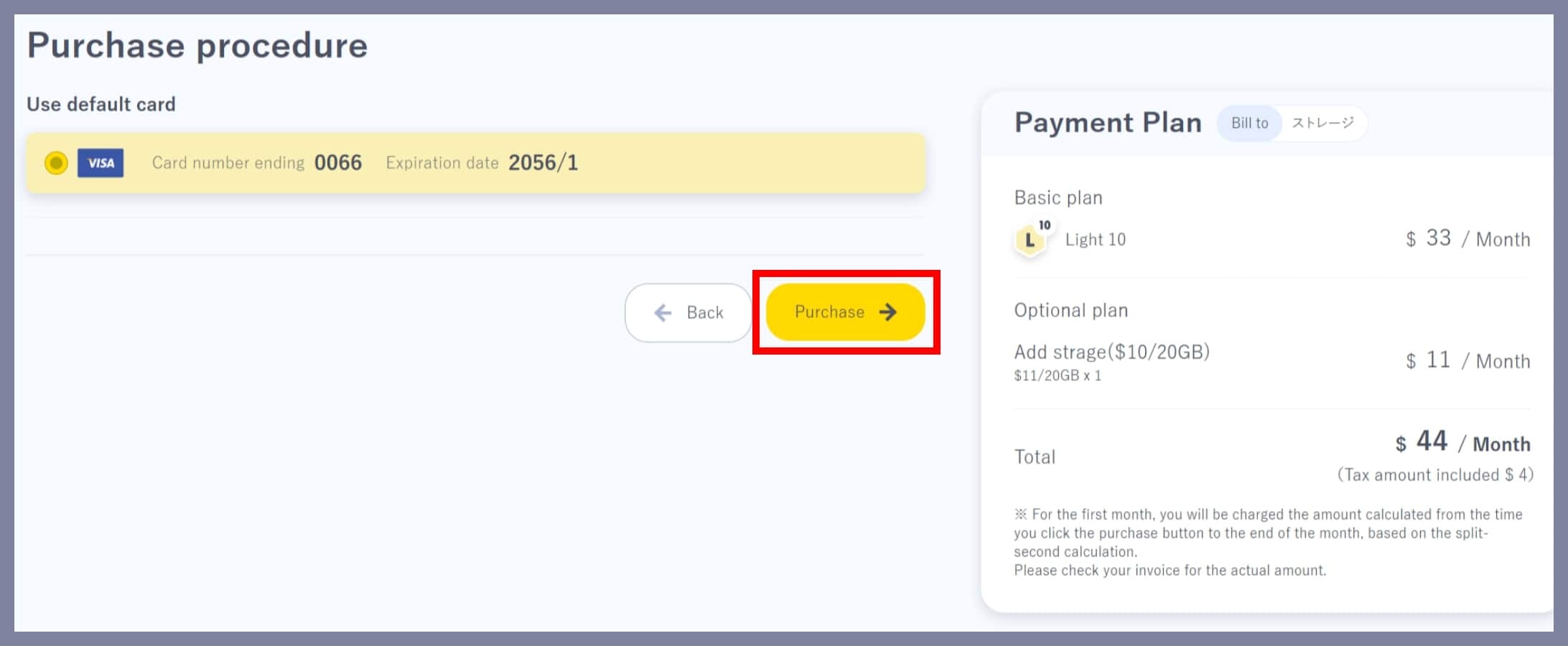
4. Complete the application
Select your payment method and click Purchase to complete the Optional Plan application.
*Only the team Owner or Admin can apply for an Optional Plan.
*Members and Guests cannot apply for Optional Plans.