









This page explains how to start using MONJI+ — from free user registration, through the 30-Day Free Trial, to selecting a basic plan afterwards.
1. Register for MONJI+ (Free)
Registration is completely free.
All you need is an email address and a password — it only takes a minute.
1-1. Temporary Registration
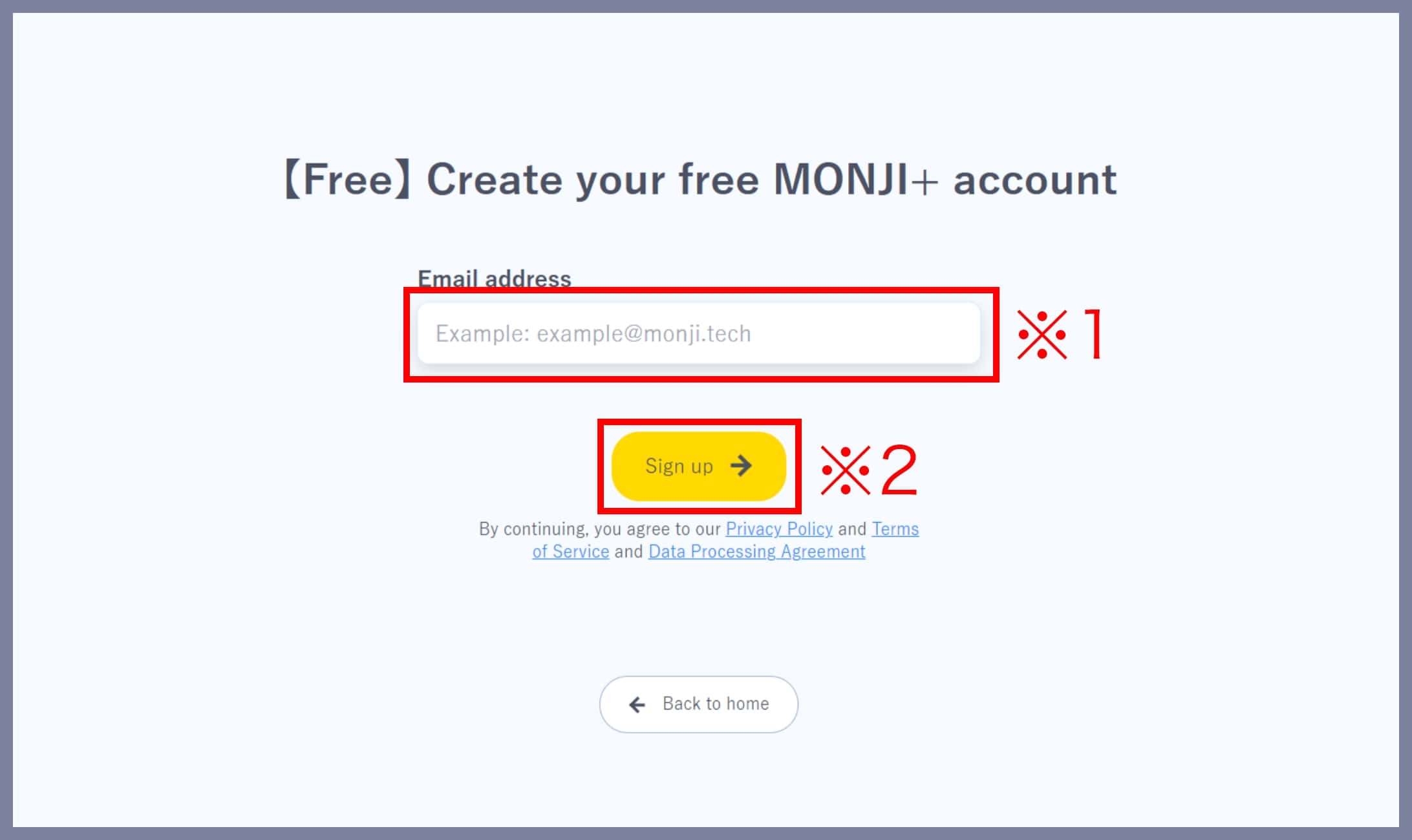
Enter your email address (※1) and click Start Temporary Registration (※2).
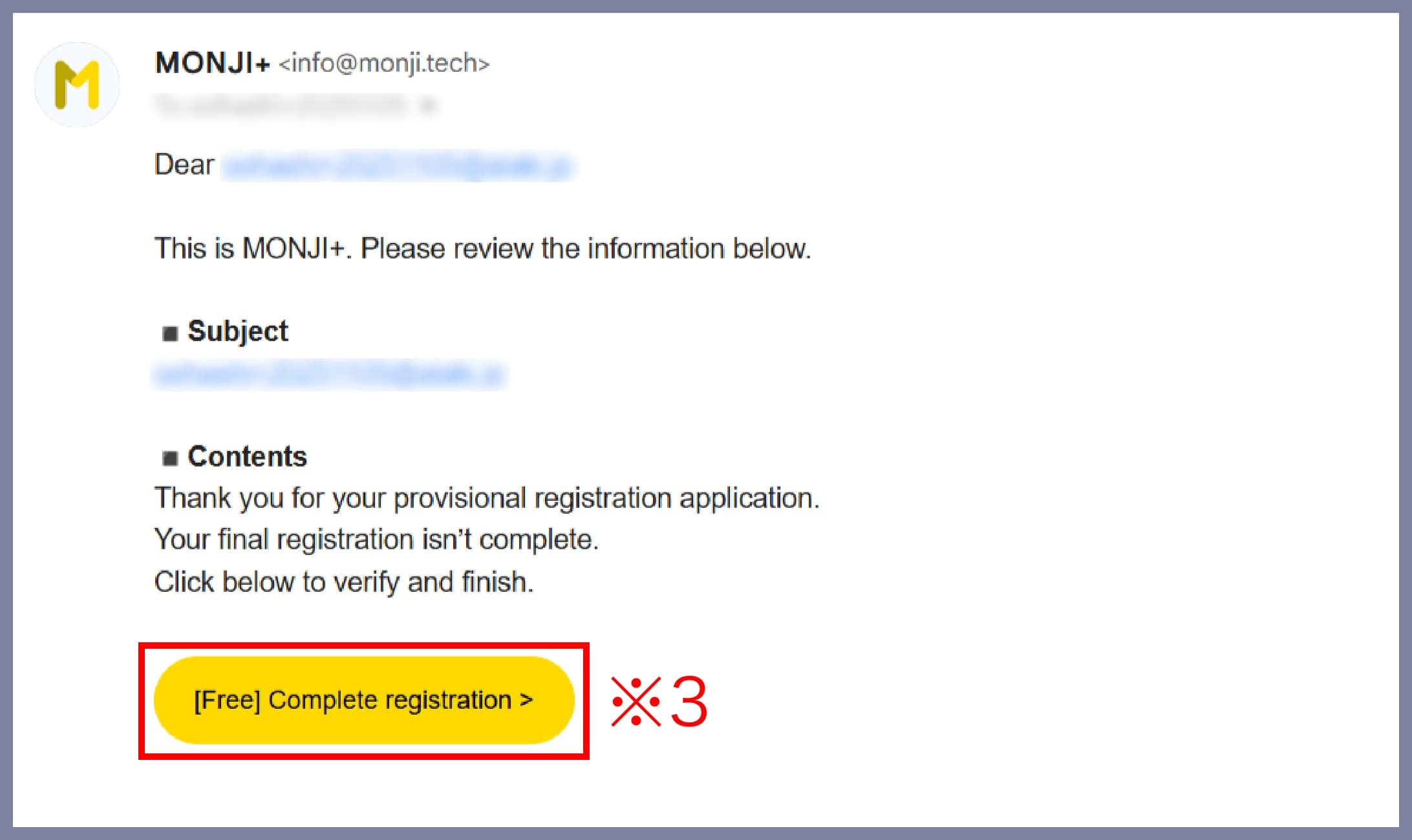
You’ll receive a registration email — click the URL (※3) in that message.
1-2. Complete Registration
Enter your password (※4), confirm it (※5), and click Complete Registration (※6).

That’s it — your free MONJI+ account is ready to use!
2. Try All Features with the 30-Day Free Trial
After registering, your 30-Day Free Trial automatically begins, giving you full access to all MONJI+ features.
・When the 30-day trial ends, you will NOT be automatically charged or switched to a paid plan.
・Use this period to fully explore MONJI+ and find the plan that best fits your team.
3. Choose Your Basic Plan
If you wish to continue using MONJI+ after the trial, select a basic plan.
・A “Free Forever” plan is available, as well as affordable paid plans.
・Paid plans are billed on a team basis, reducing individual costs.