You can cancel your optional plan by following the steps below.
Only team admins can cancel a optional plan.
Members and guests cannot cancel a optional plan.
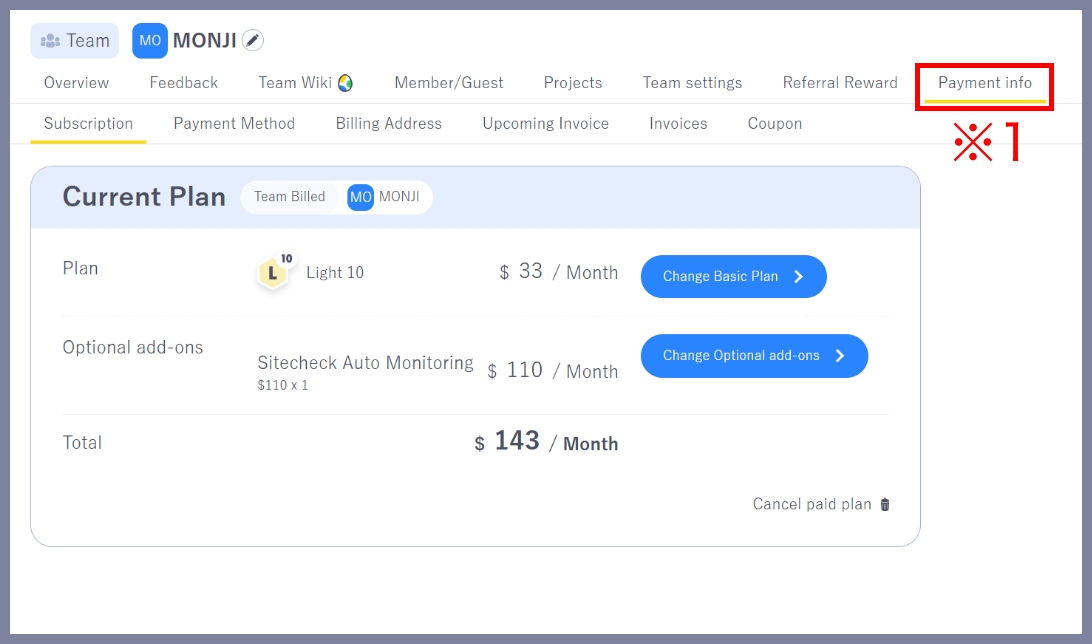
1.Go to Payment info > Subscription
Click Payment info (※1) in the team menu to open the Plan page.
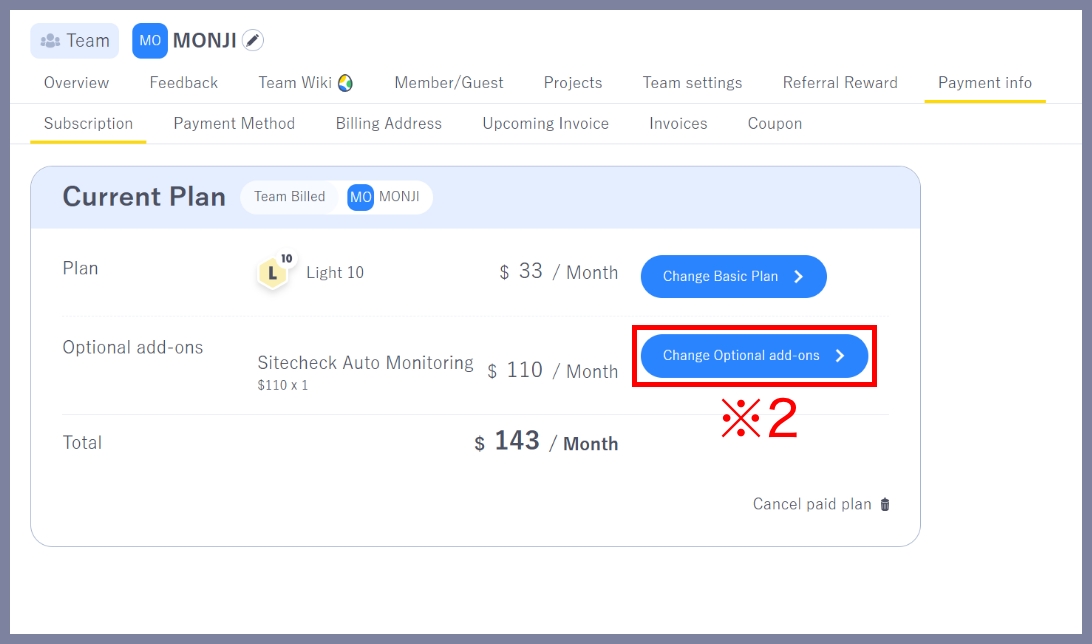
2.Go to the Select optional plan screen
Click Change Optional add-ons(※2) in the bottom-right corner.
3.Start the cancellation process for your optional plan
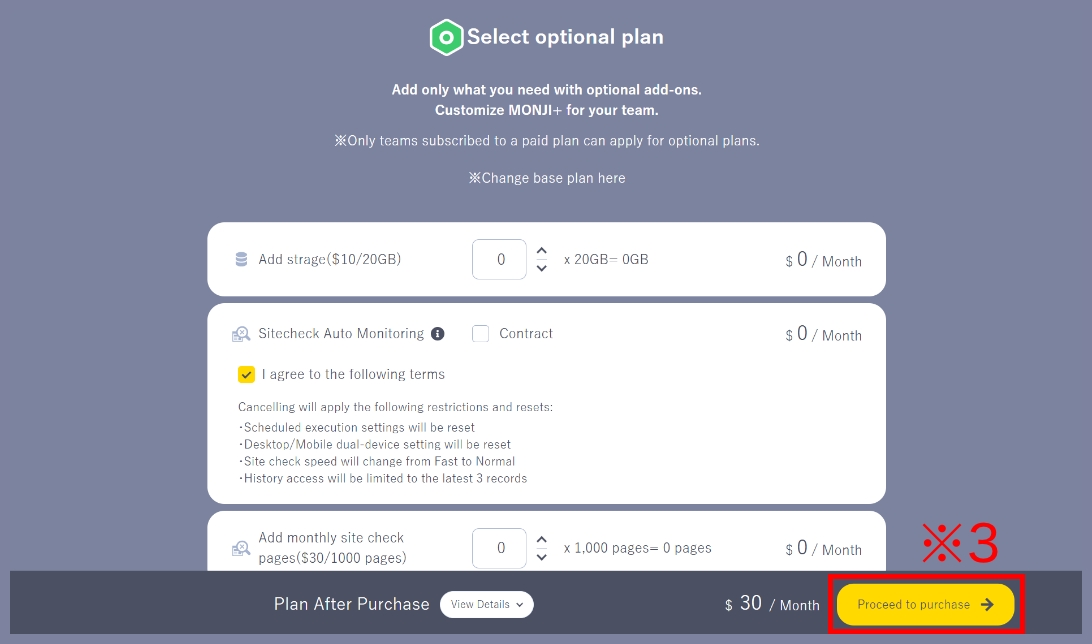
Select the optional plan you want to cancel, choose Remove or adjust the quantity, then click Proceed to purchase (※3).
The image below shows the screen for canceling the Sitecheck Auto Monitoring optional plan.
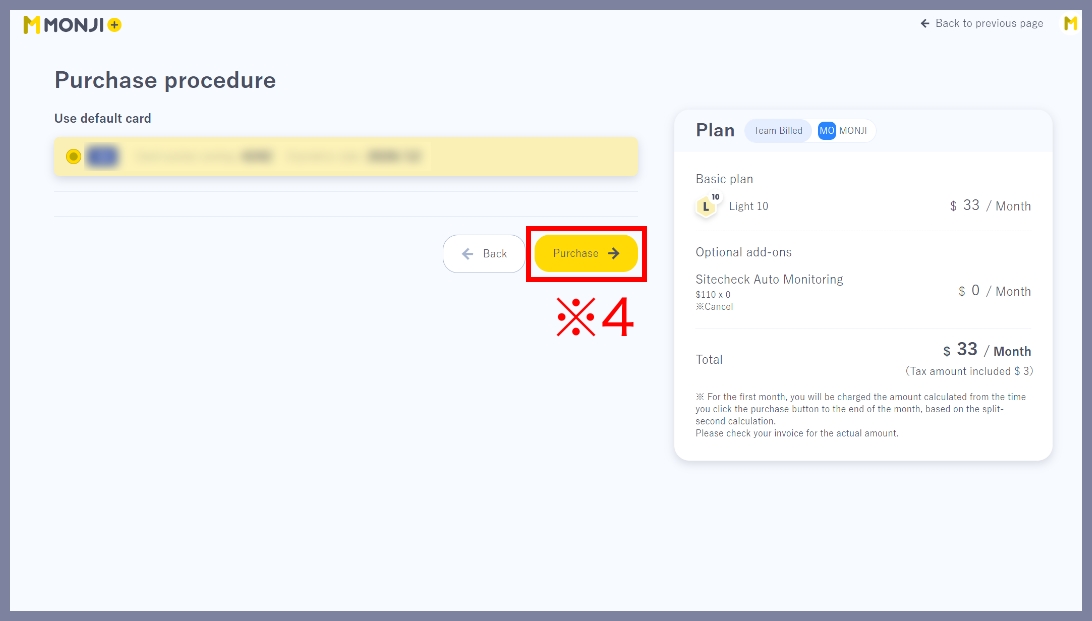
4.Cancel your optional plan
Review the Optional add-ons details on the right side, then click Purchase(※4) to complete the cancellation.
Unlike the base plan, cancellation takes effect immediately and does not wait until the end of the billing period.
Once canceled, the optional plan features will no longer be available.
5.Cancellation complete
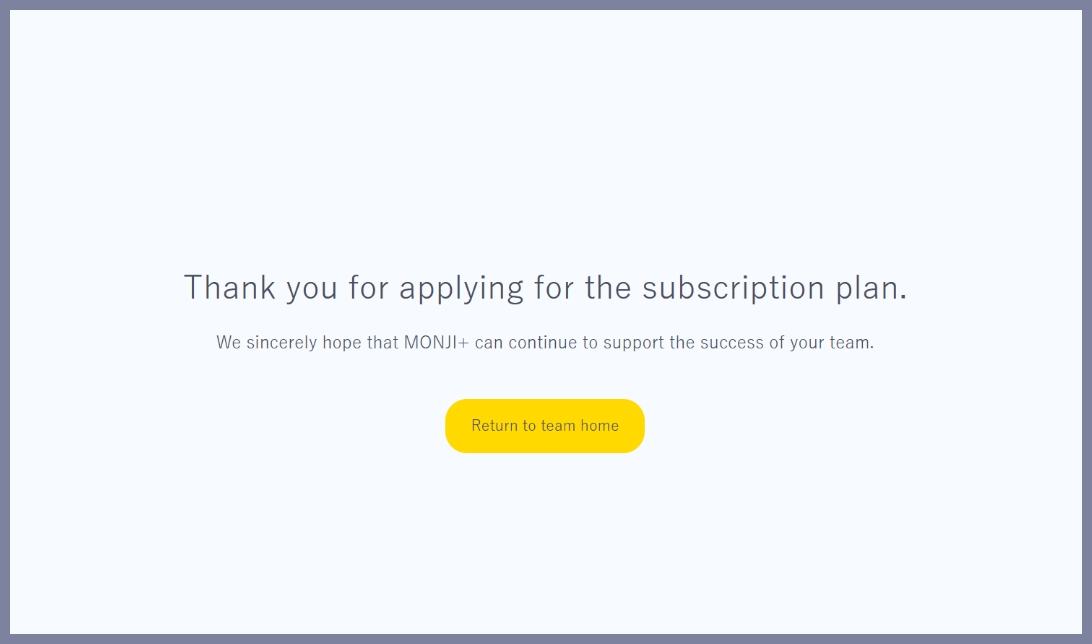
When the Thank you for applying for the subscription plan. screen appears, the cancellation is complete.