You can use the bulk duplicate/move feature for feedback by following the steps below.
1. Select feedback to duplicate/move
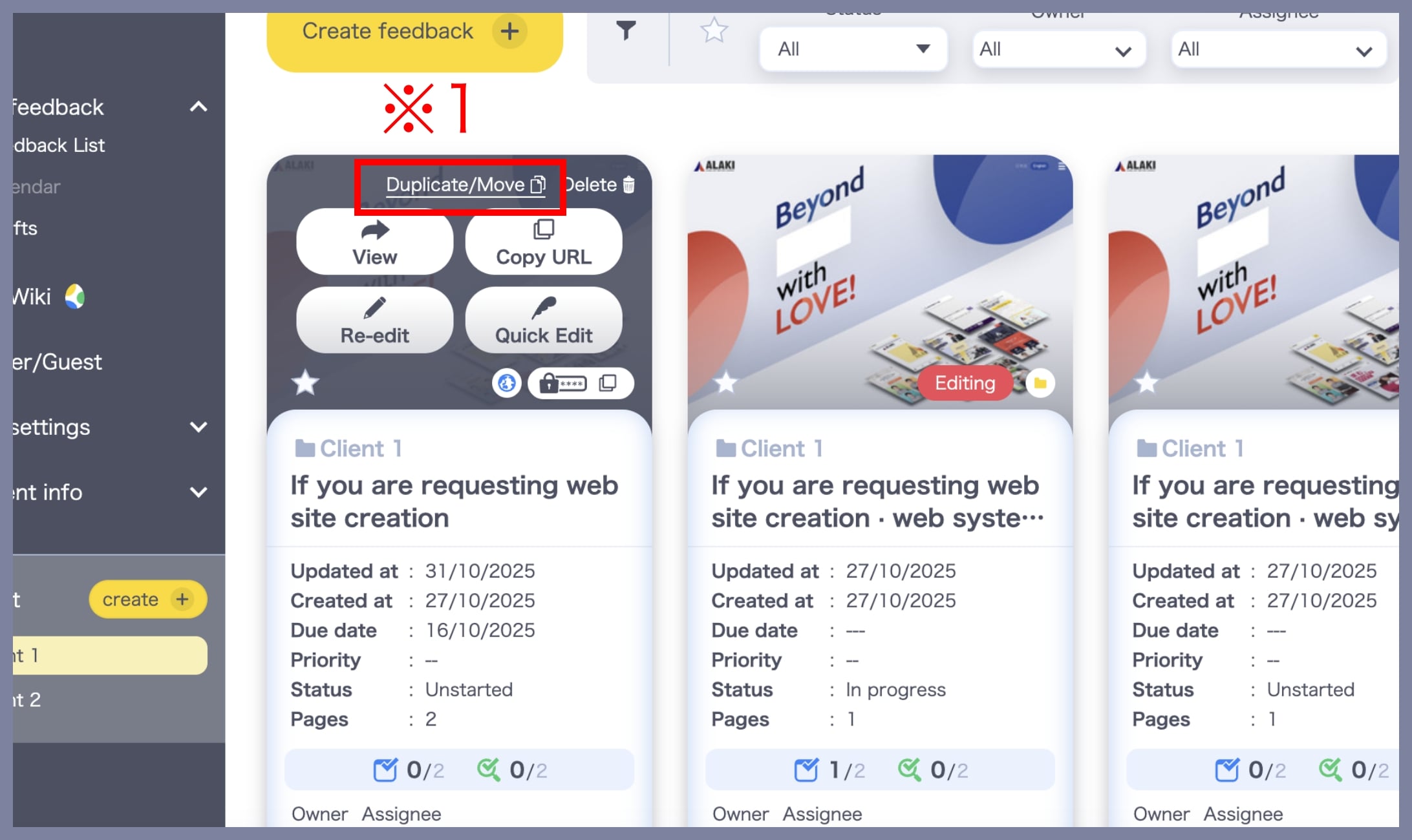
Go to the Feedback List within your Team/Project. Hover over the feedback you want to duplicate or move, then click the Duplicate/Move button (※1).
2. Select the destination project and complete the move
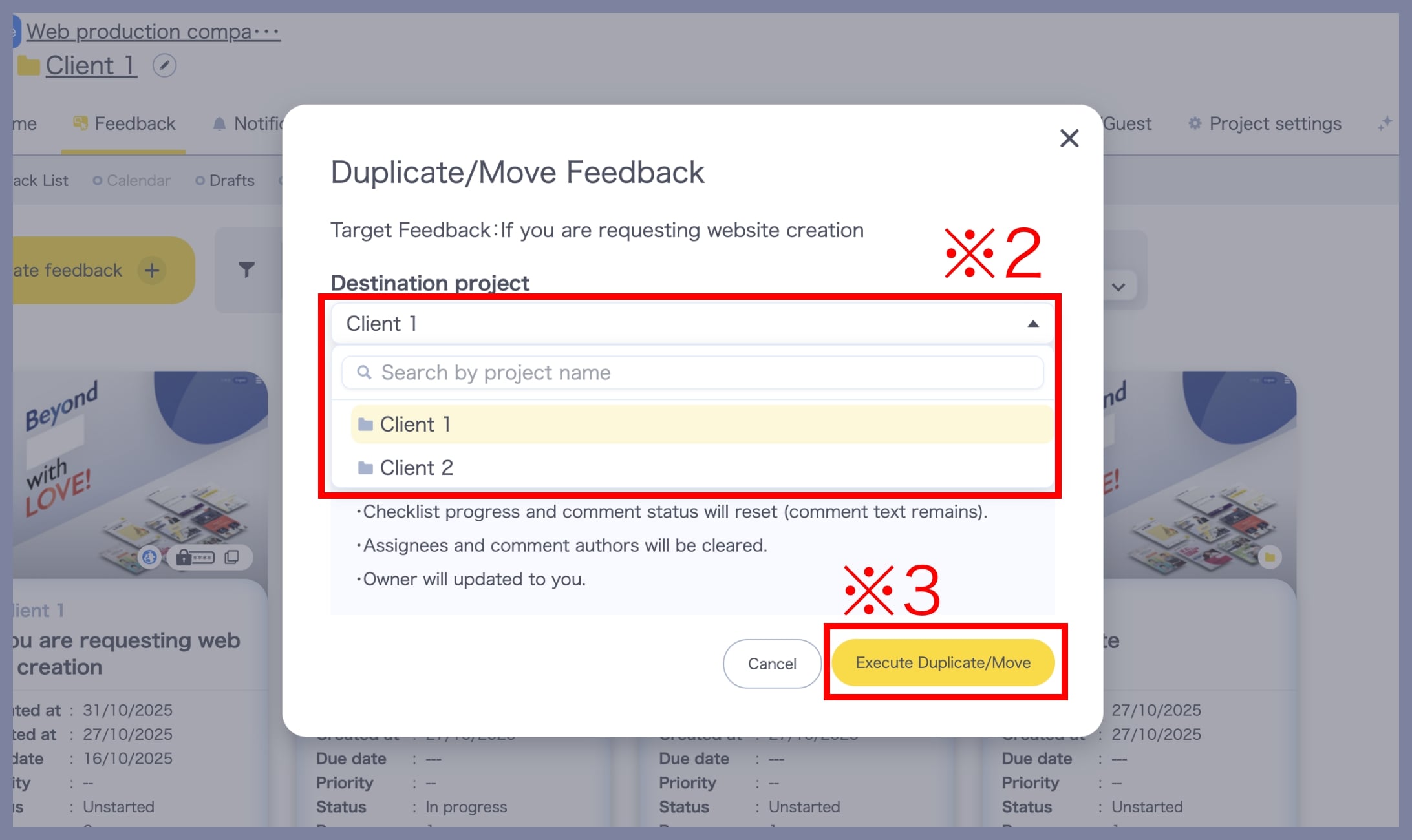
On the Duplicate/Move Feedback screen, select the destination Project (※2) and click Execute Duplicate/Move (※3).
This completes the duplication/move process.
After the feedback has been moved
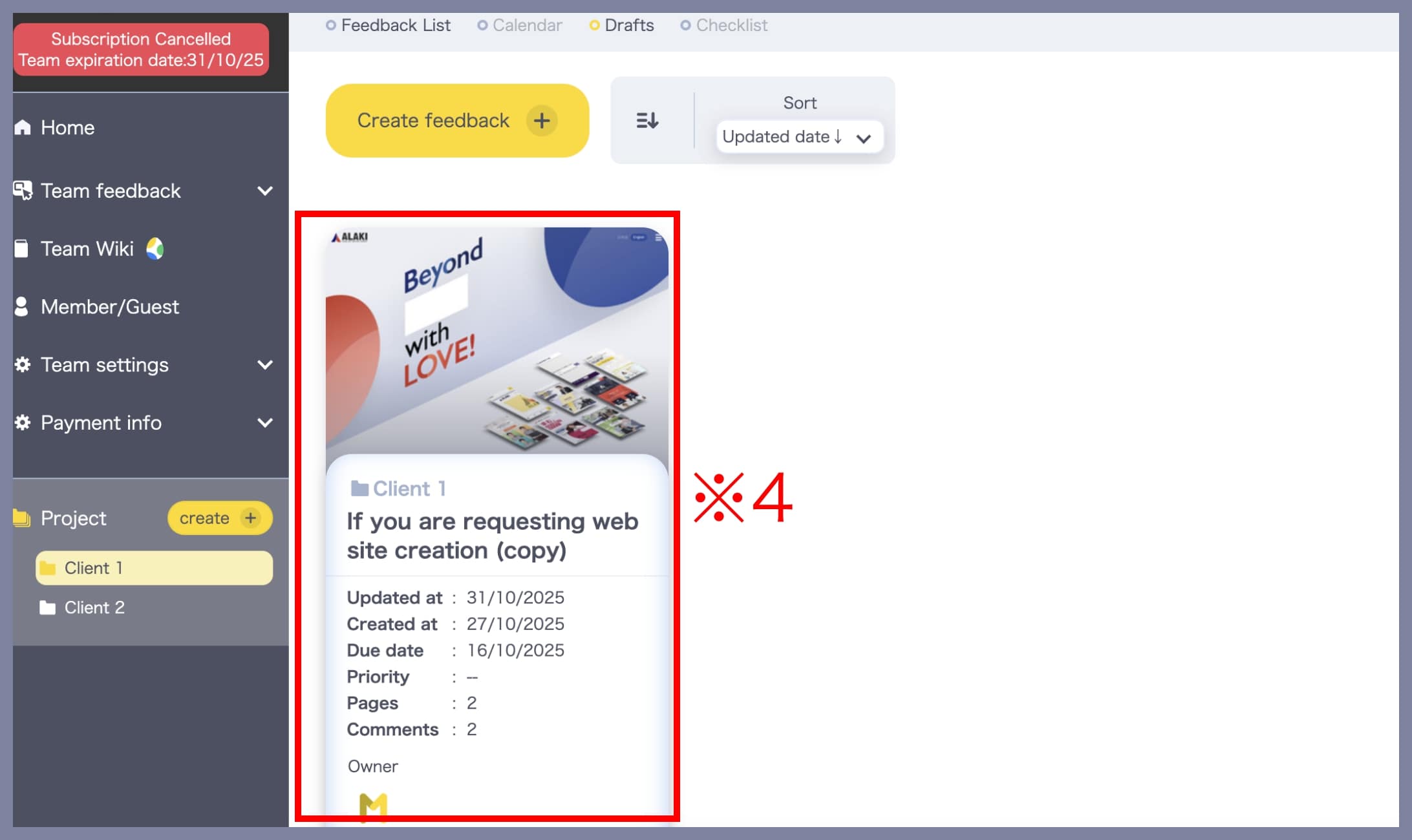
The duplicated/moved feedback will automatically be saved under Drafts (※4).
To share the moved feedback with project members and guests, click Edit Again to open the edit screen, then click Send to share it.