Purpose
By clearly defining and sharing the Project Purpose & Concept, you can align everyone’s understanding among all members and guests in the project.
This helps prevent miscommunication and supports smoother collaboration and decision-making.
How to Register
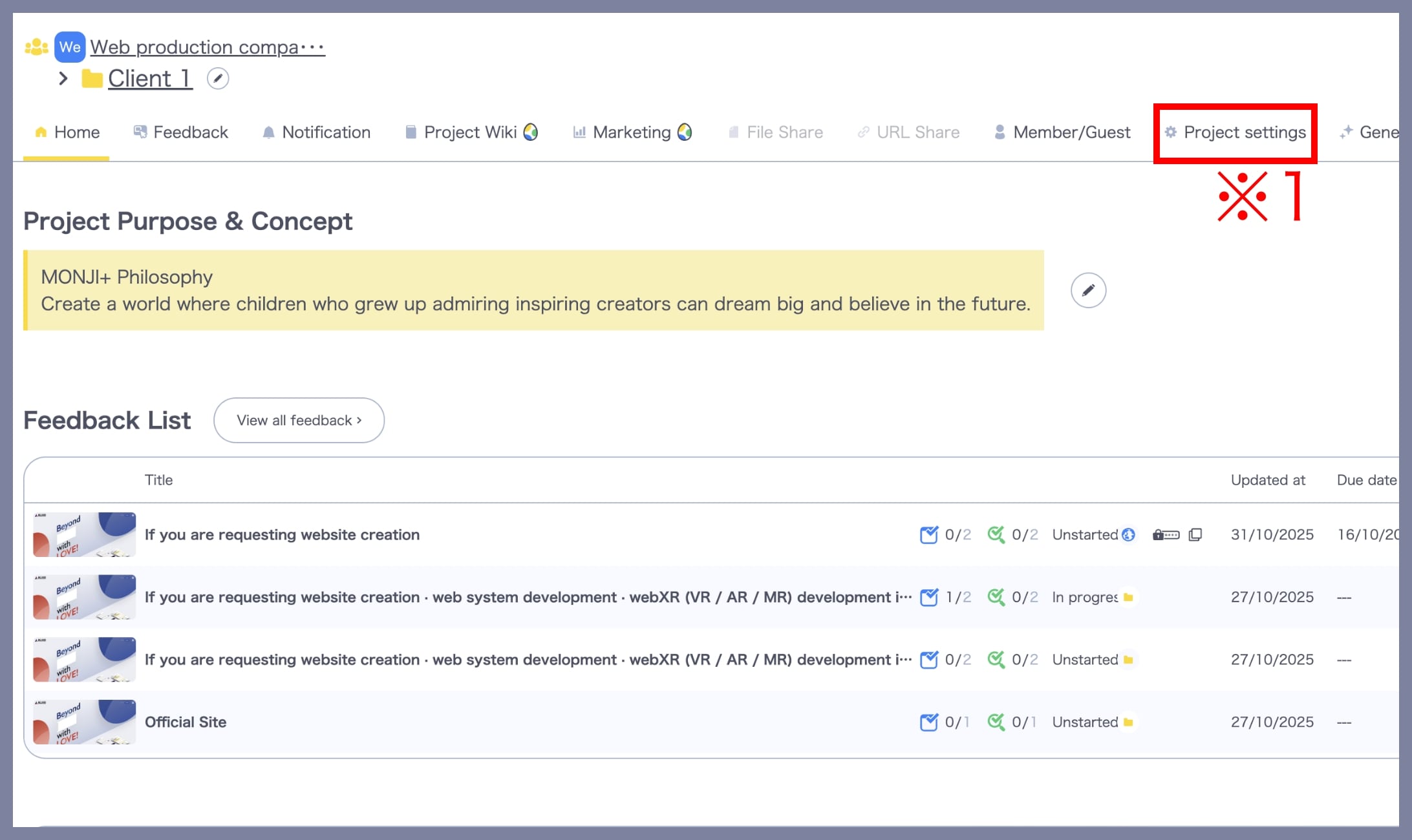
1. Access the “Project Setting” screen
From the Project menu, click the Project Settings link (※1).
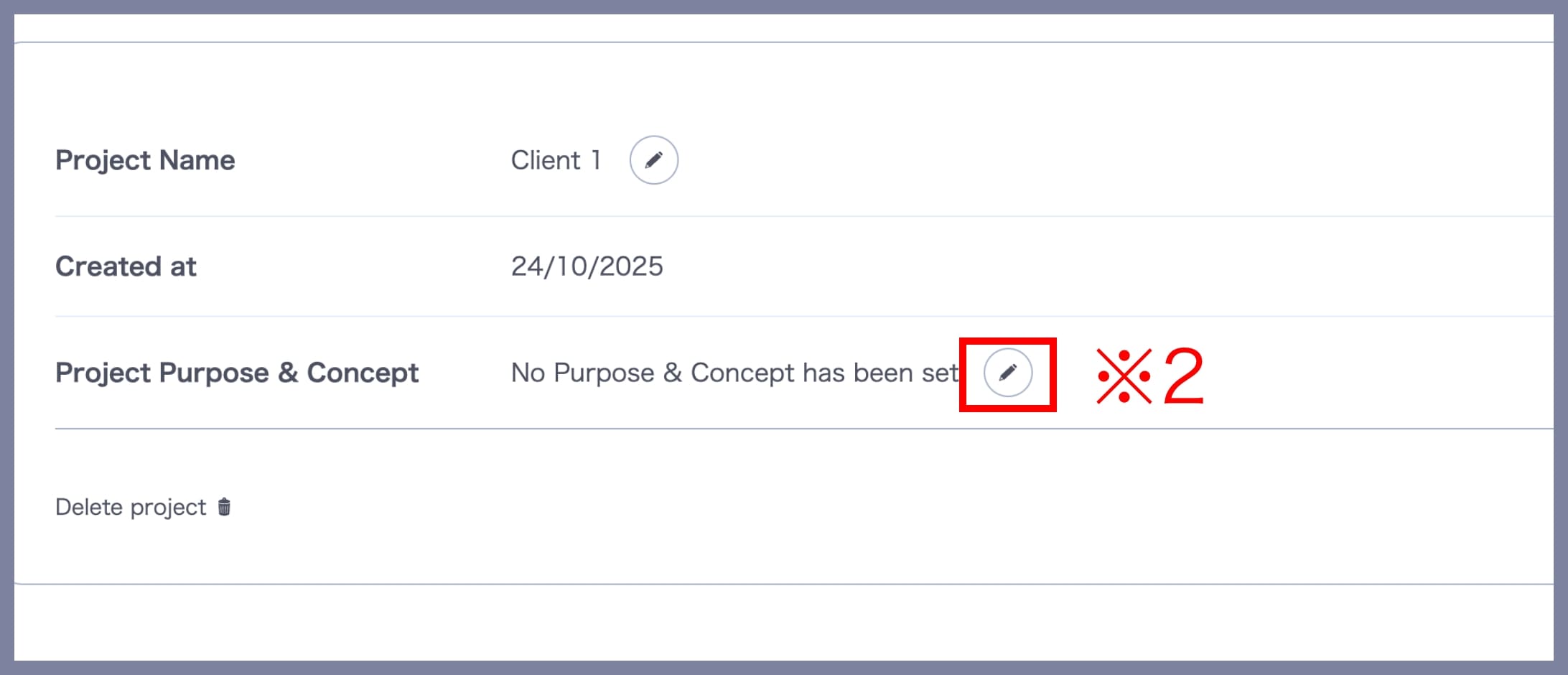
2. Register the “Project Purpose & Concept”
In the Project Purpose & Concept section, click the Edit button (※2).
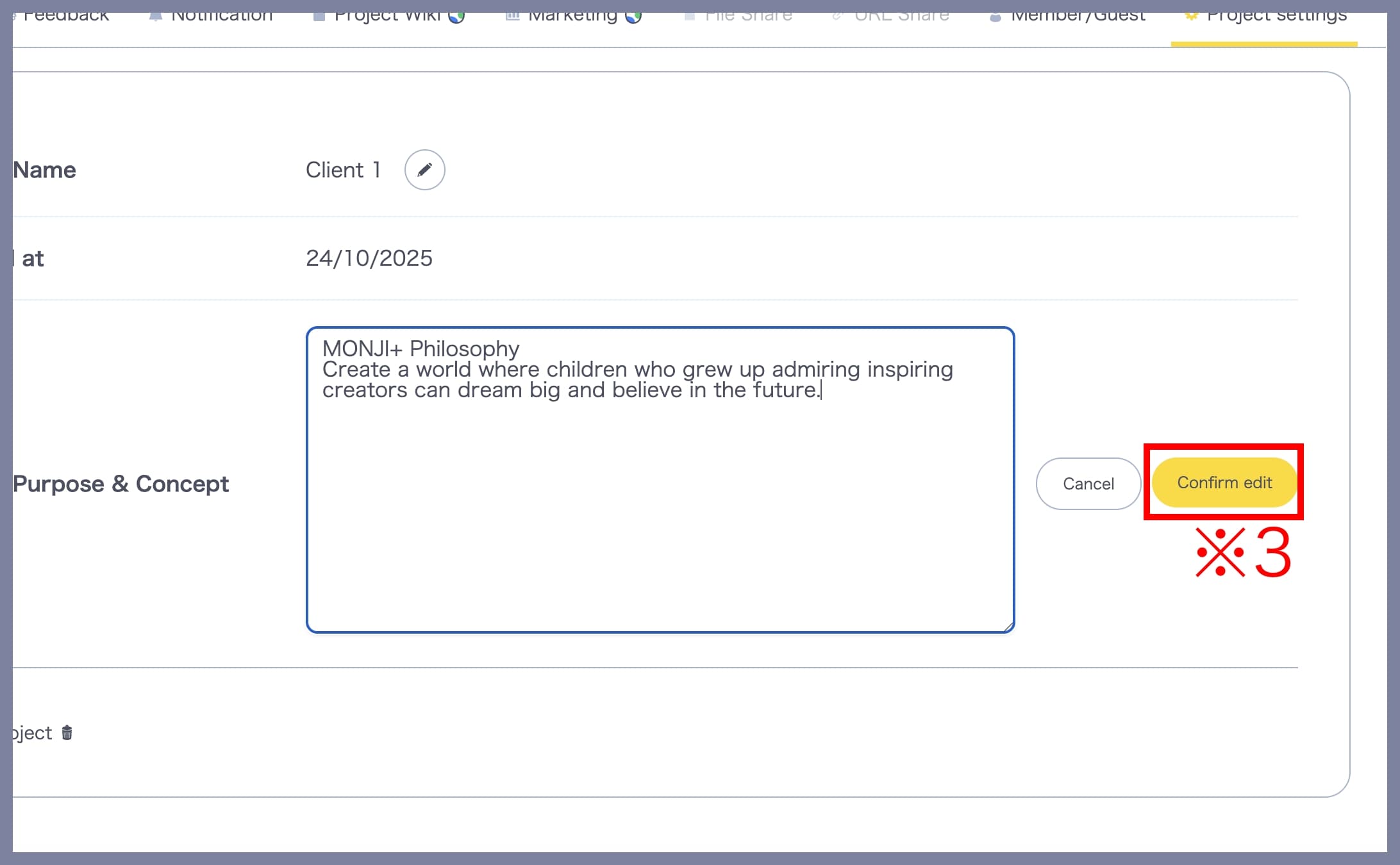
After entering your text, click Confirm Edit (※3) to complete registration.