









To delete a team on a paid plan (Lite or Standard), you must first cancel your subscription.
See How to cancel your paid plan for instructions.
Once your plan is canceled, follow these steps:
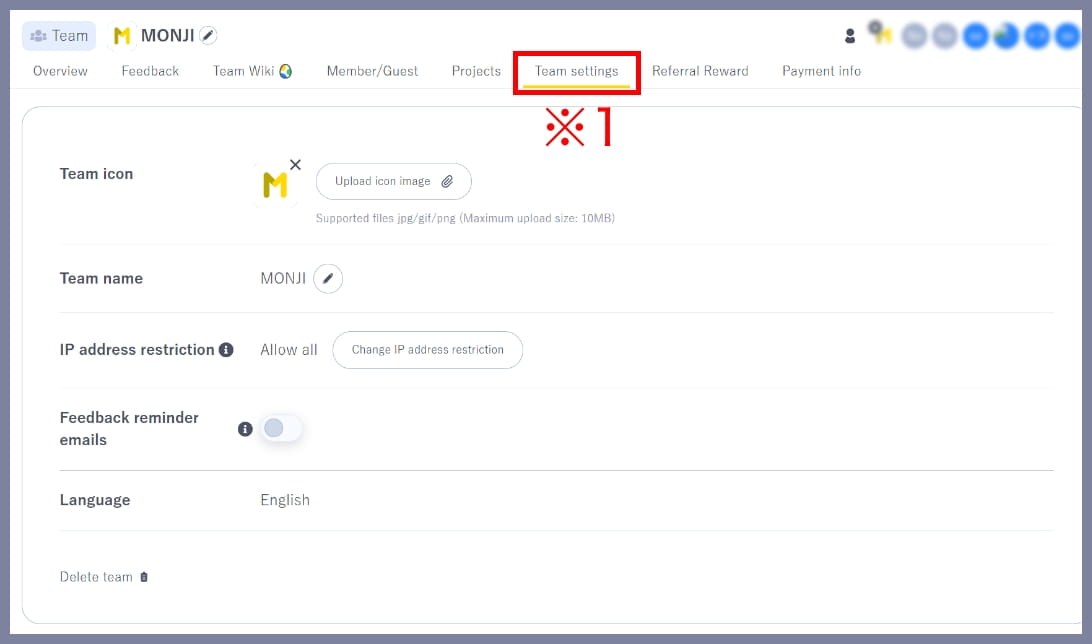
1.Go to Team settings
Click Team settings (※1) in the team menu.
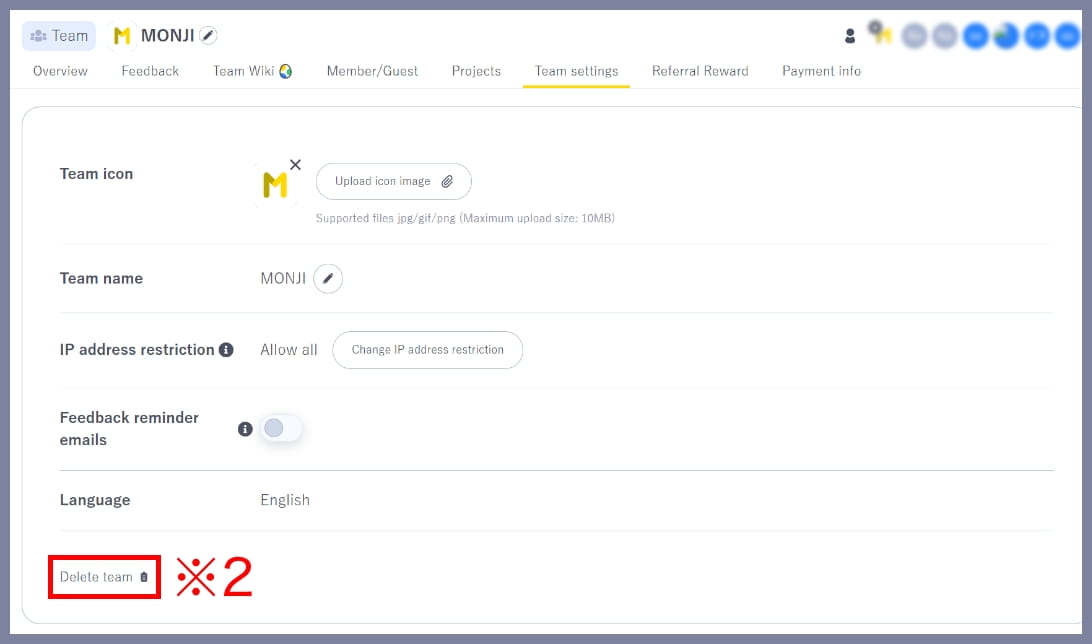
2.Start the deletion process
Click Delete team (※2) in the bottom-left corner.
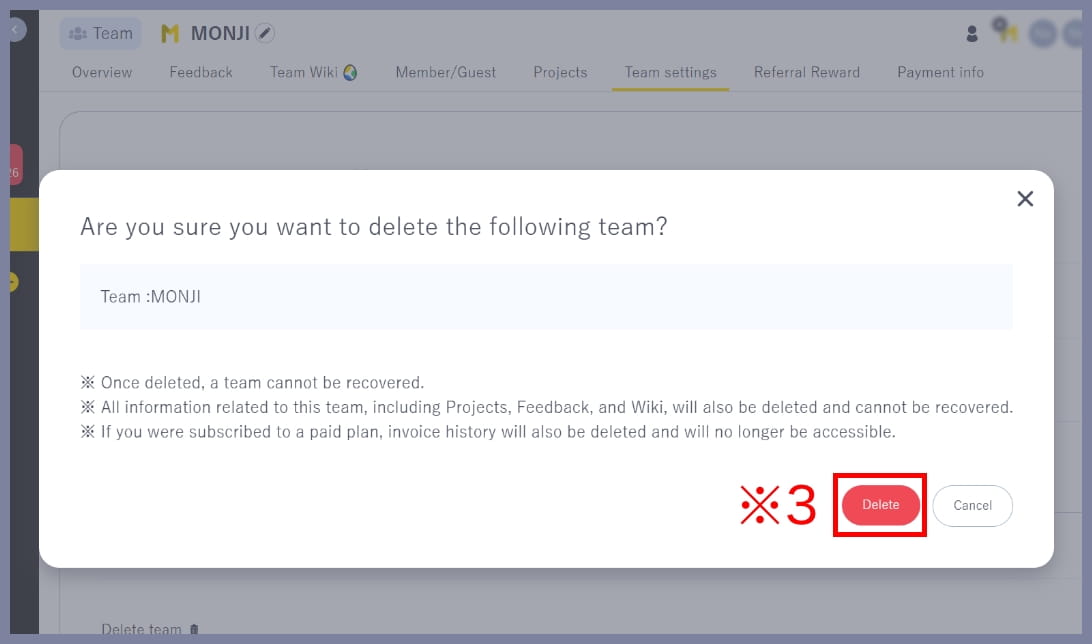
3.Delete the team
Review the notes, then click Delete (※3) in the bottom-right corner.
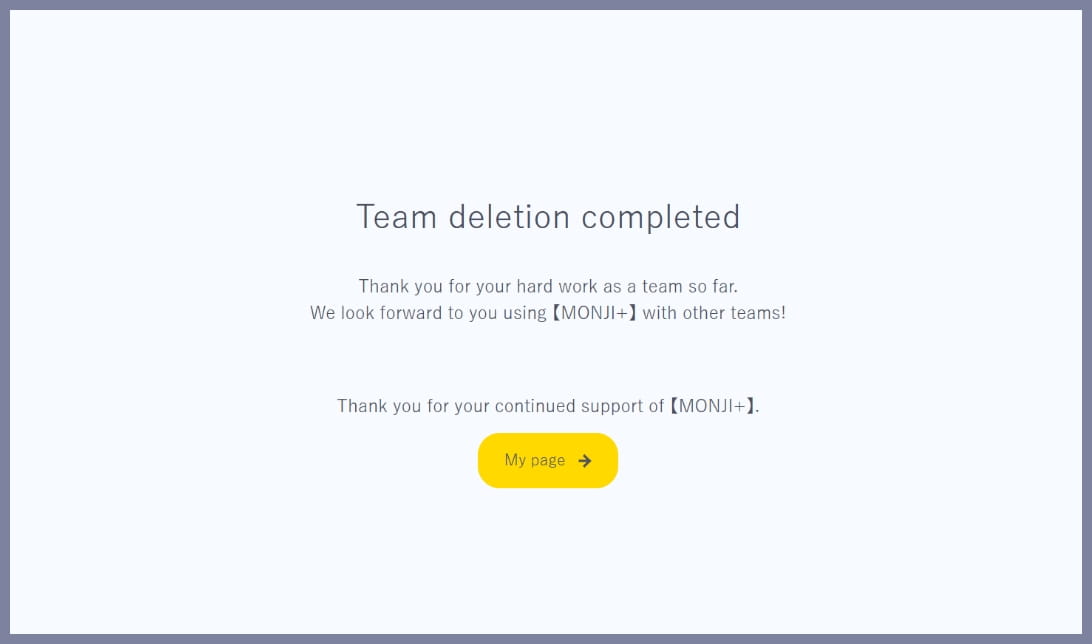
4.Done
When you see Team deletion completed, the process is complete.
Only the Team Owner can delete a team. Members and Guests cannot delete a team.