① Access the team where you want to use the coupon
Go to the team where you want to apply the coupon.
*Coupons can only be used for teams on paid plans.*
*Coupons can only be used for teams on paid plans.*
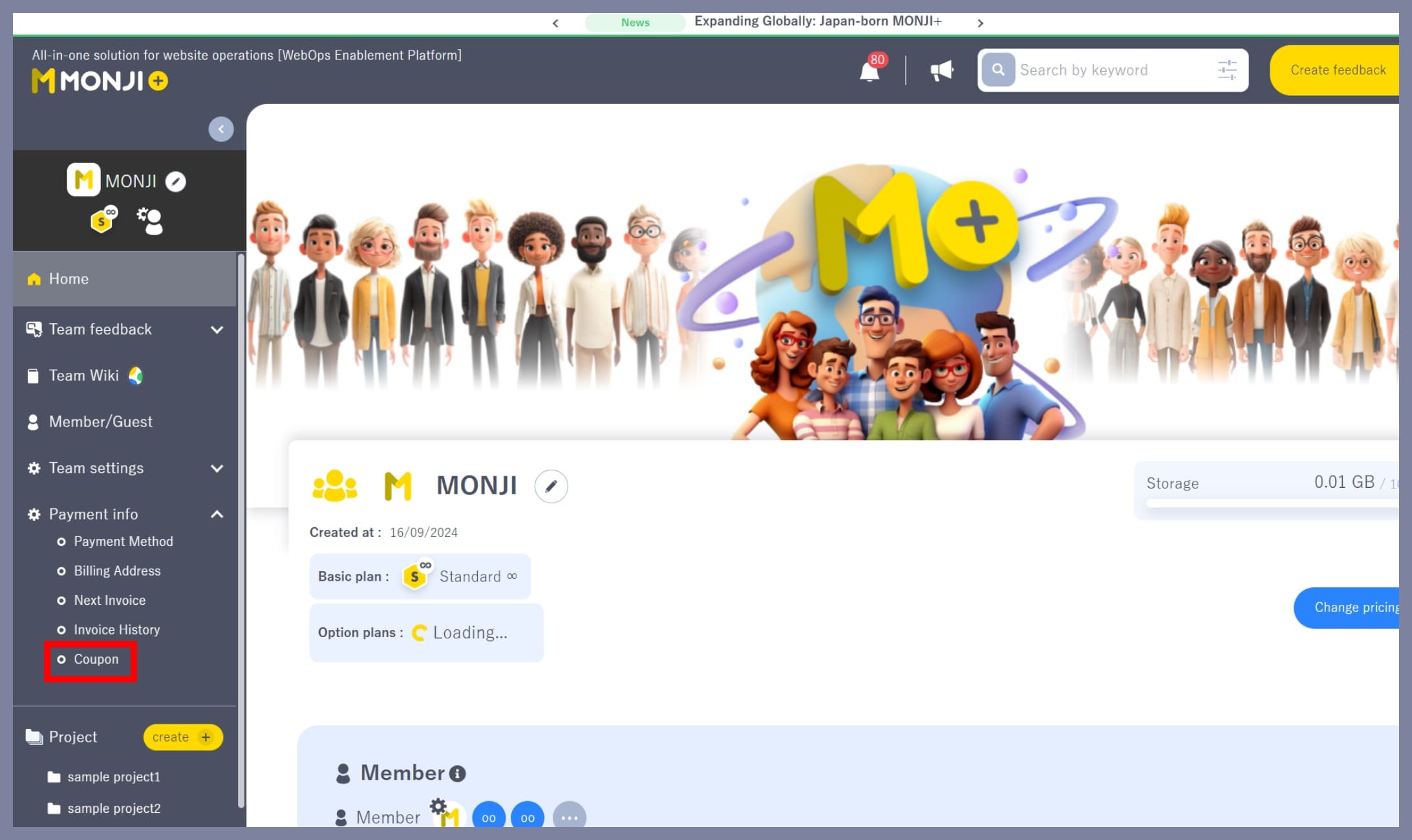
② Go to “Billing Info > Coupon”
From the team side menu (the left sidebar), click **Billing Info > Coupon**.
③ Enter your coupon code
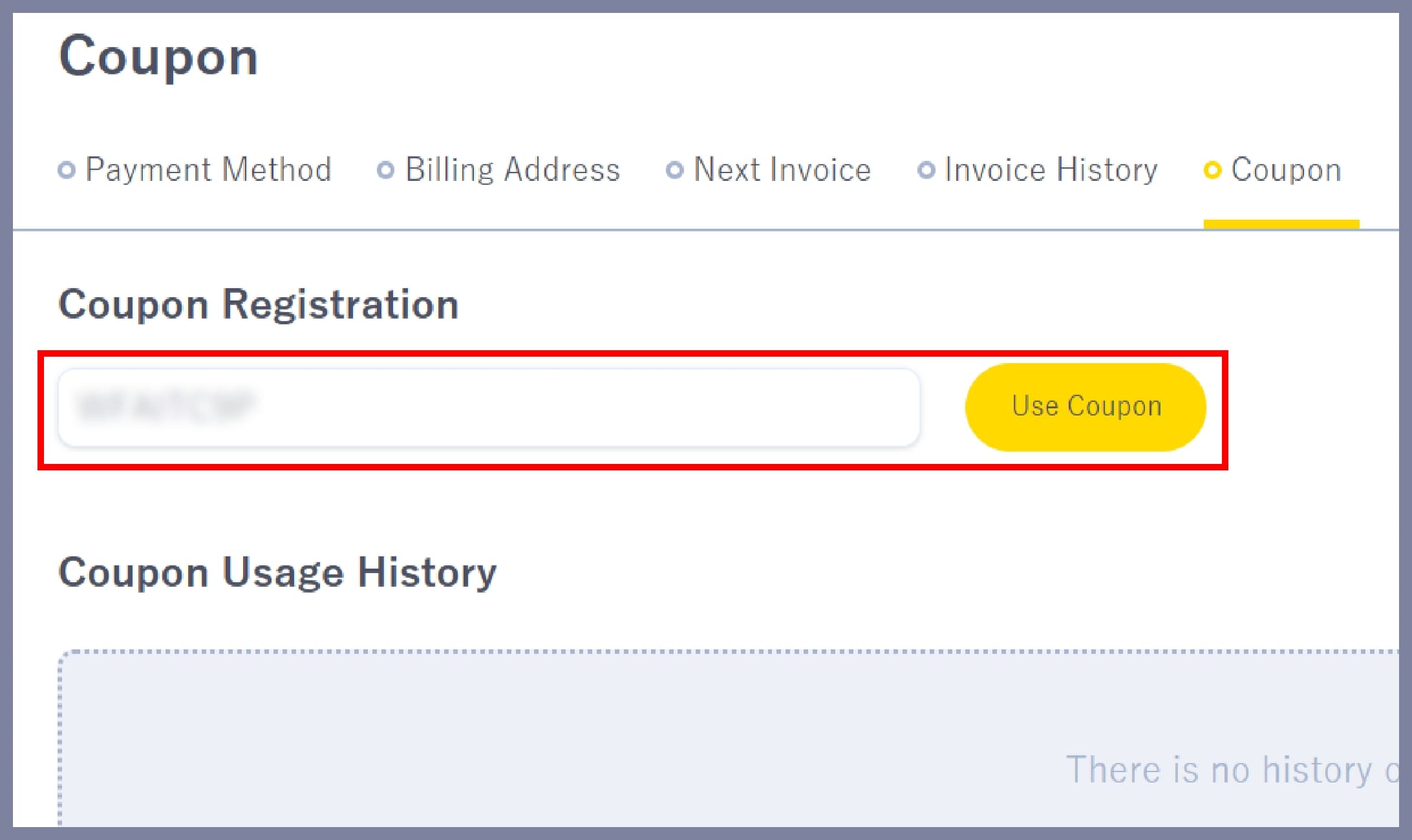
On the **Billing Info > Coupon** screen:
1. Enter your coupon code
2. Click “Use Coupon”
Your coupon will then be registered.
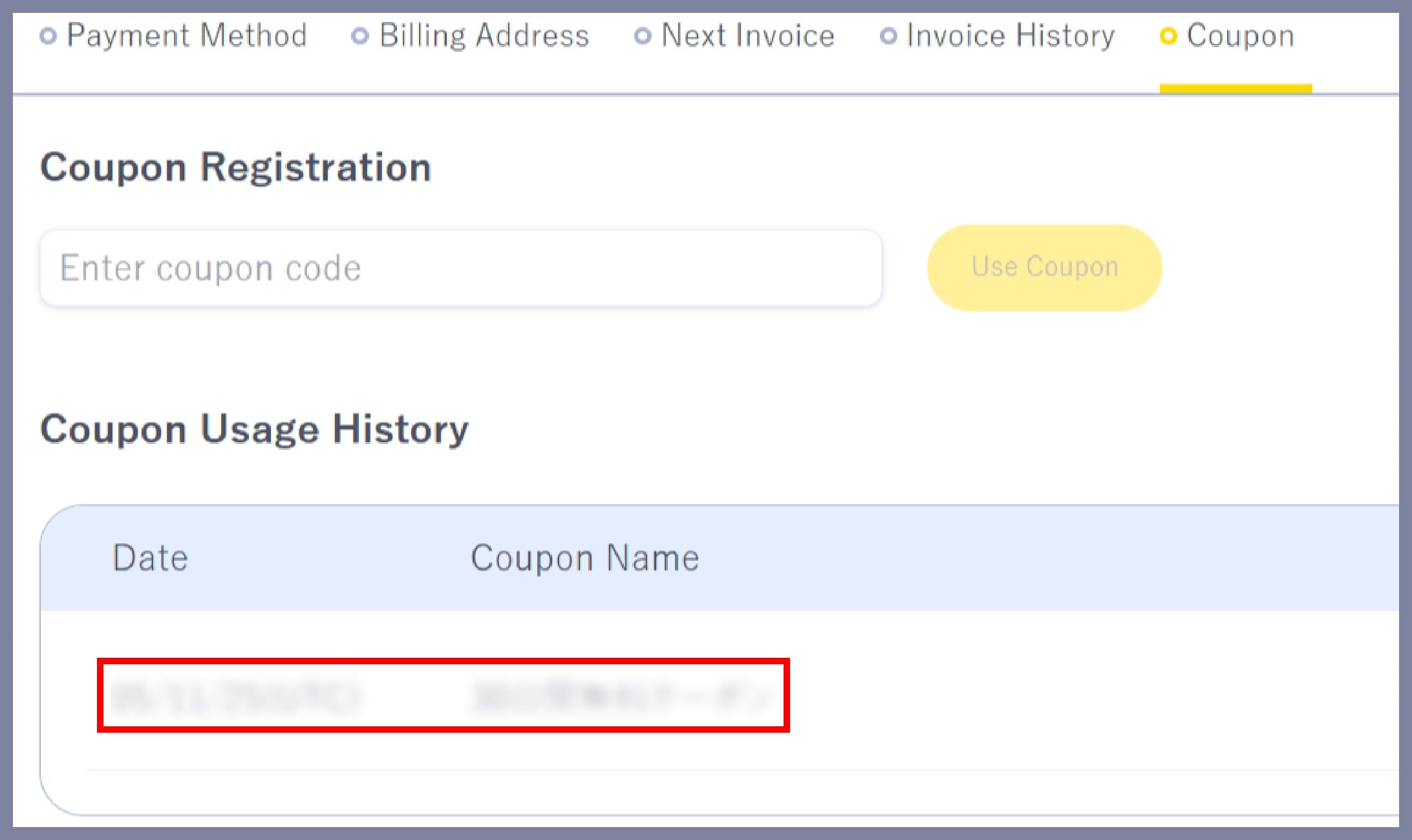
Once registration is complete, the coupon name will appear under **Coupon Usage History**.
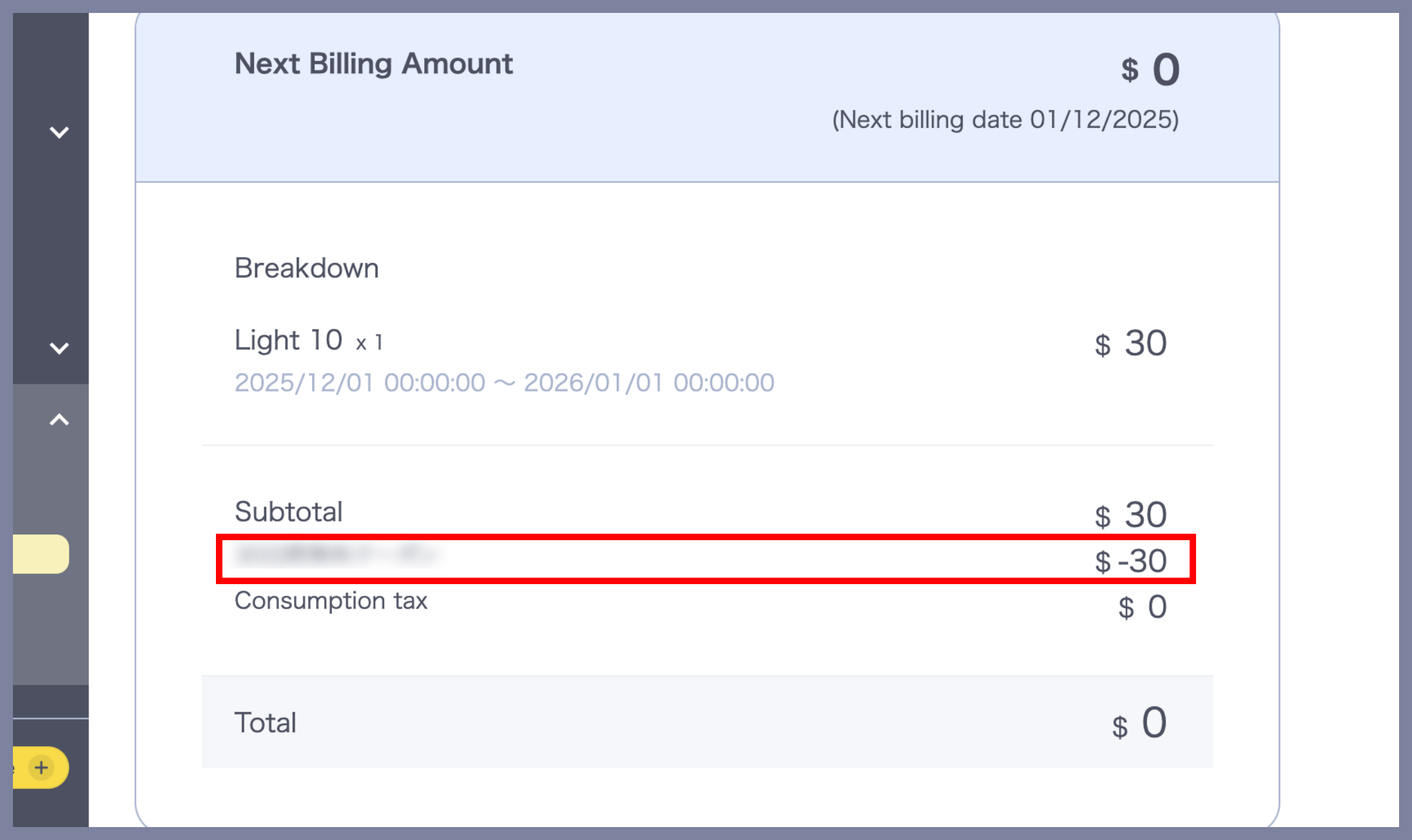
④ Check that the coupon has been applied
From the team side menu (the left sidebar), click **Billing Info > Next Billing**.
If the registered coupon appears under **Next Billing (tax included)** in the breakdown, the coupon has been successfully applied.