









You can update your payment method by following the steps below.
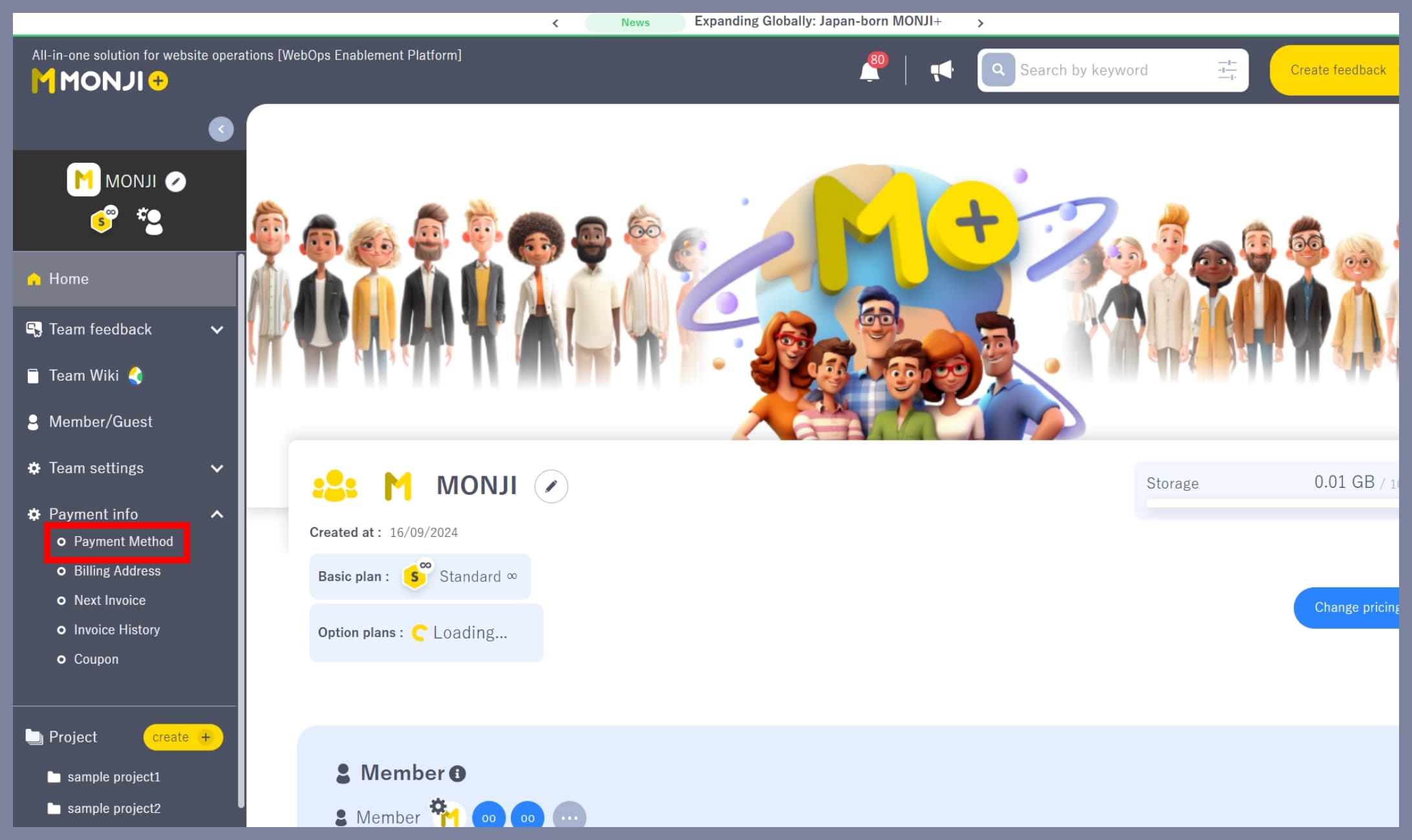
1. Go to “Billing Info > Payment Method”
From the team side menu (the left sidebar), click Billing Info > Payment Method.
2. Change your payment method
Click Set as default payment method on the right side of the payment method you want to update.
This will take you to the Stripe screen.

3. Select and confirm your card on the Stripe screen
You will be redirected to the Stripe page.
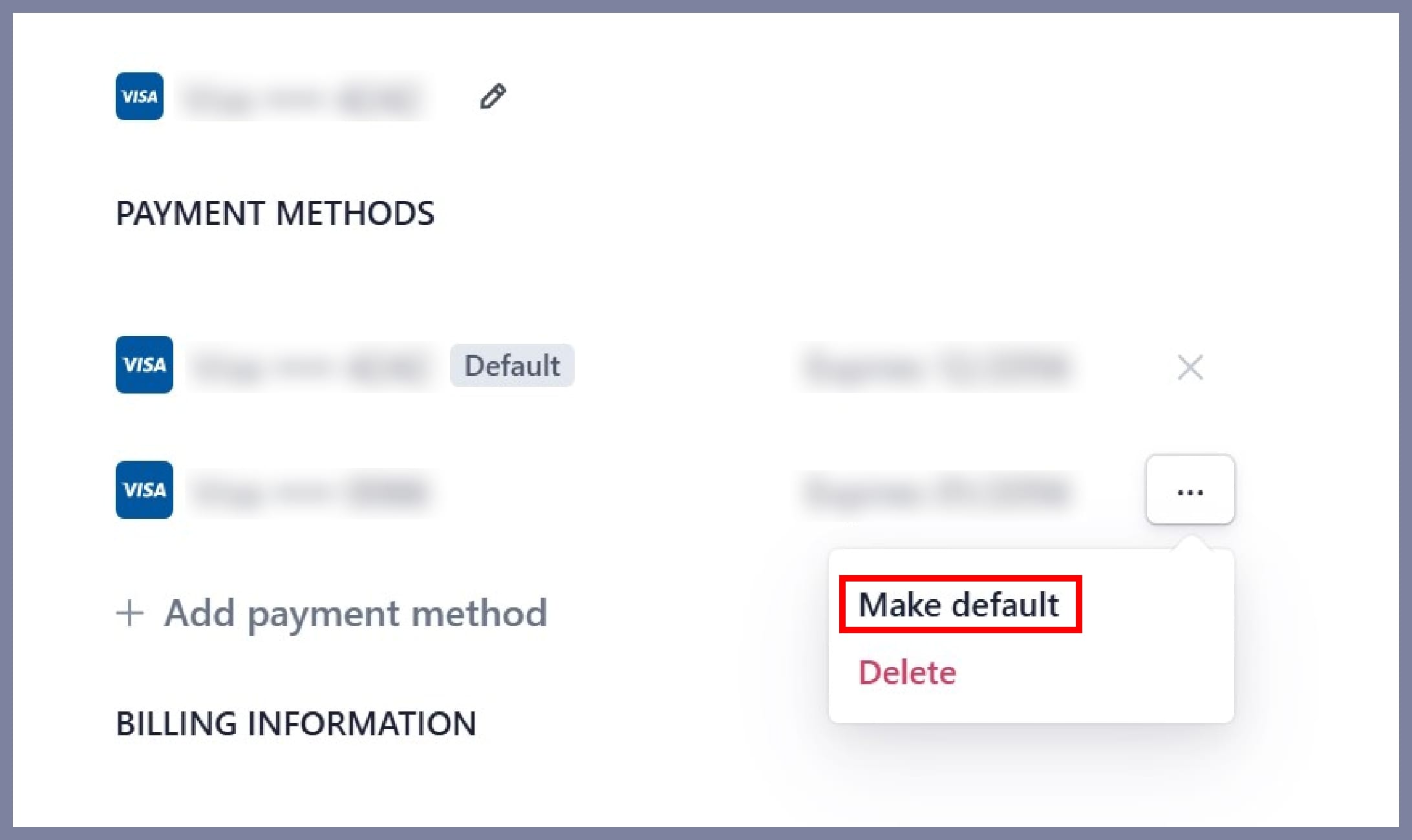
In the Payment Methods section, click Make default for the card you want to use.
This will update the card used for your payments.
*Only the team Owner or Admin can change the payment method.
*Members and Guests cannot make changes to payment methods.