









You can create a project by following the steps below.
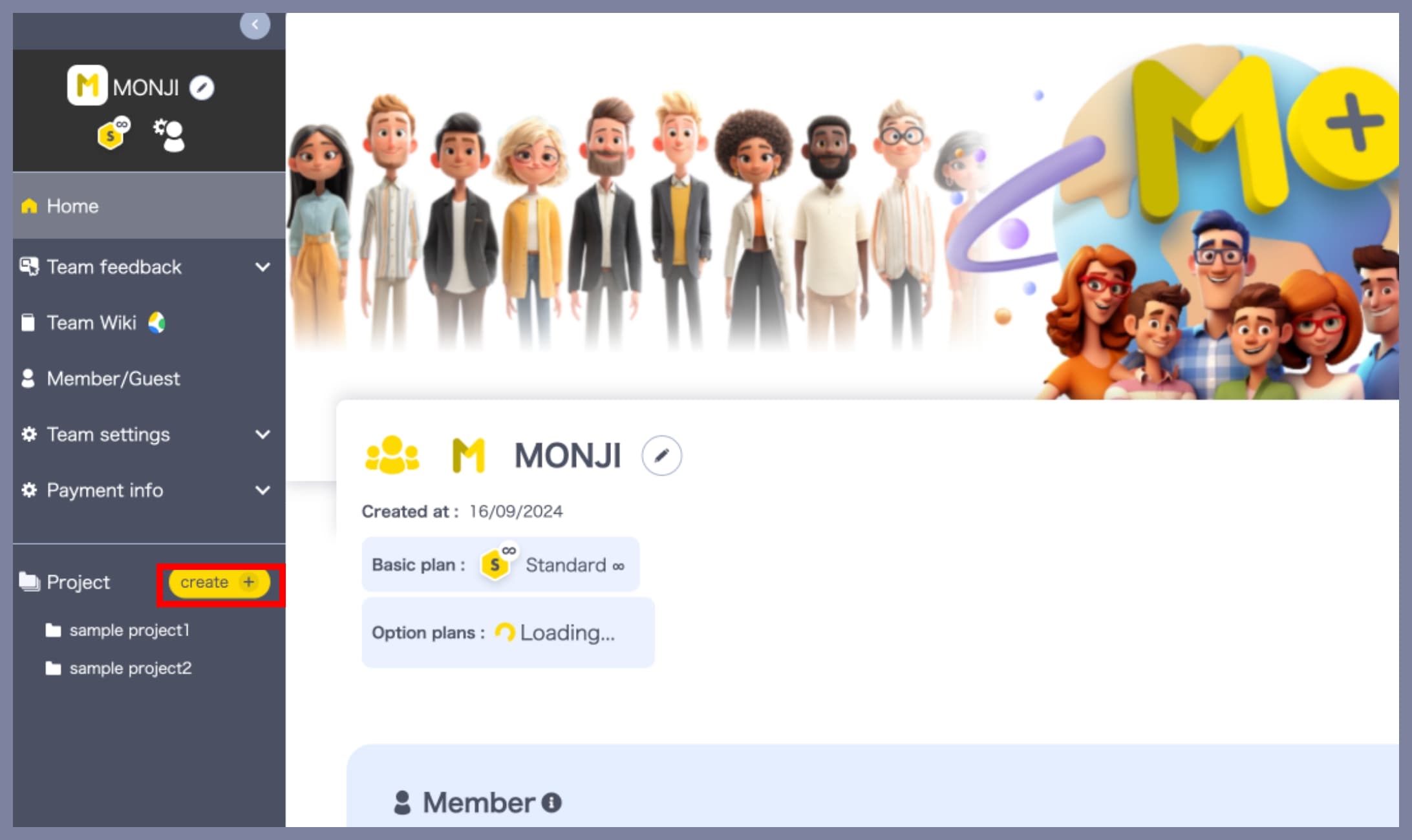
1. Open the “Create New Project” screen
In the left-side menu of your team screen, click Create + under the Projects section.
2. Enter the project name
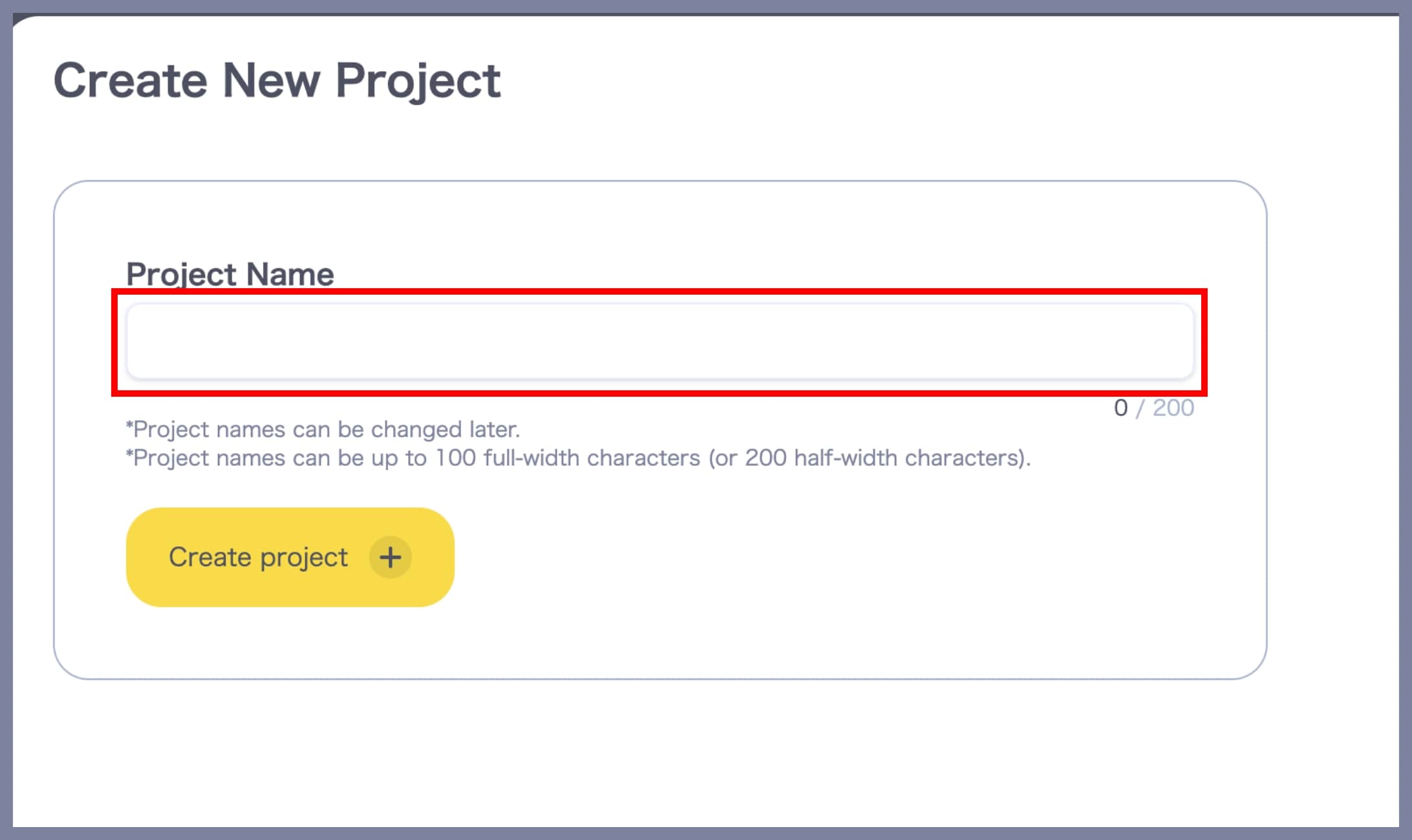
Enter a name for your project in the text field.
*The project name can be changed later.
*Up to 100 full-width characters or 200 half-width characters are allowed.
3. Create the project
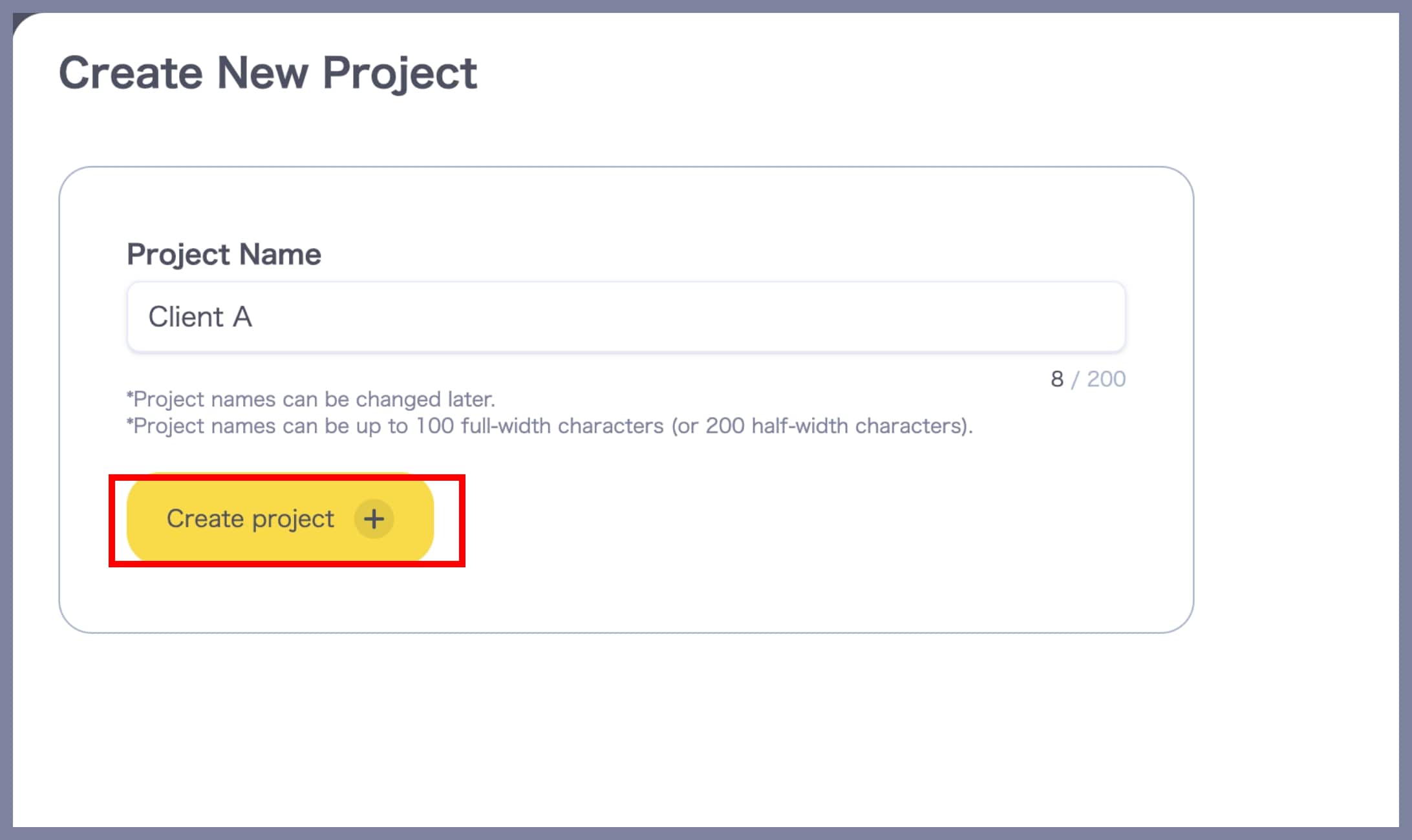
Click Create Project to complete the project creation.
*Only Admins and Members of a team can create projects.
*Guests cannot create projects.