









You can change your Basic Plan by following the steps below.
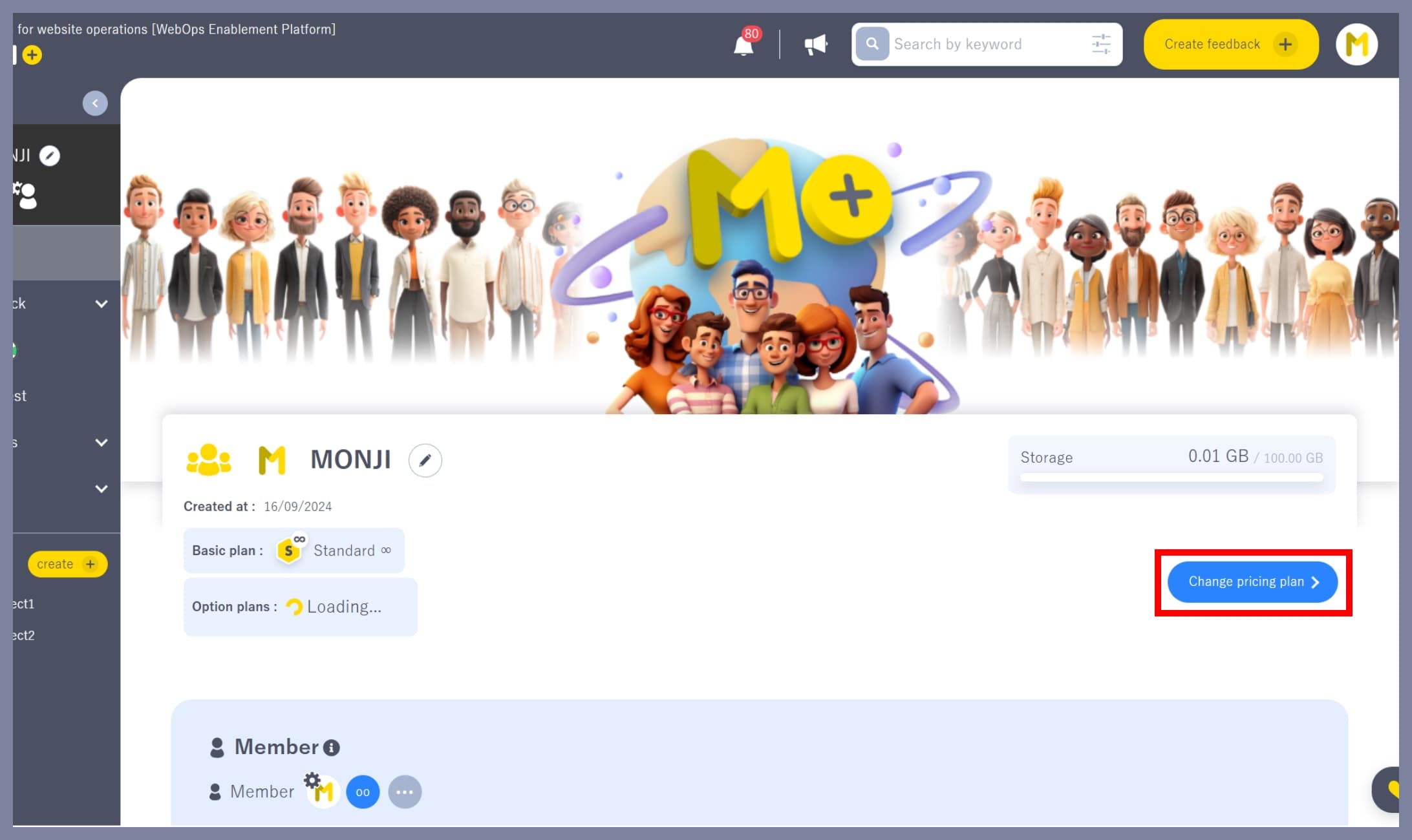
1. Go to the “Change Plan” screen
On the team home screen, click the Change Plan button.
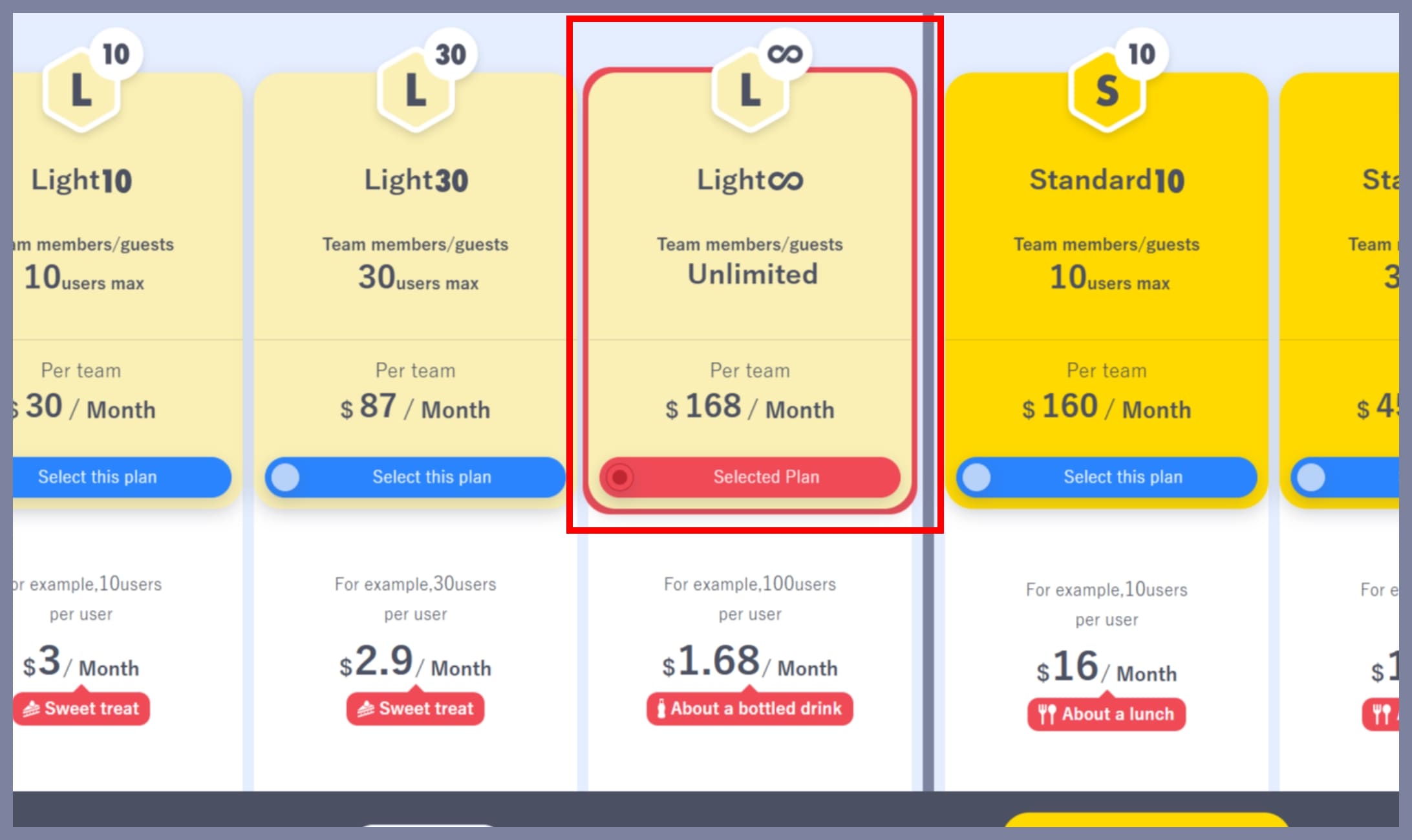
2. Select the new Basic Plan
Select the Basic Plan you want to switch to.
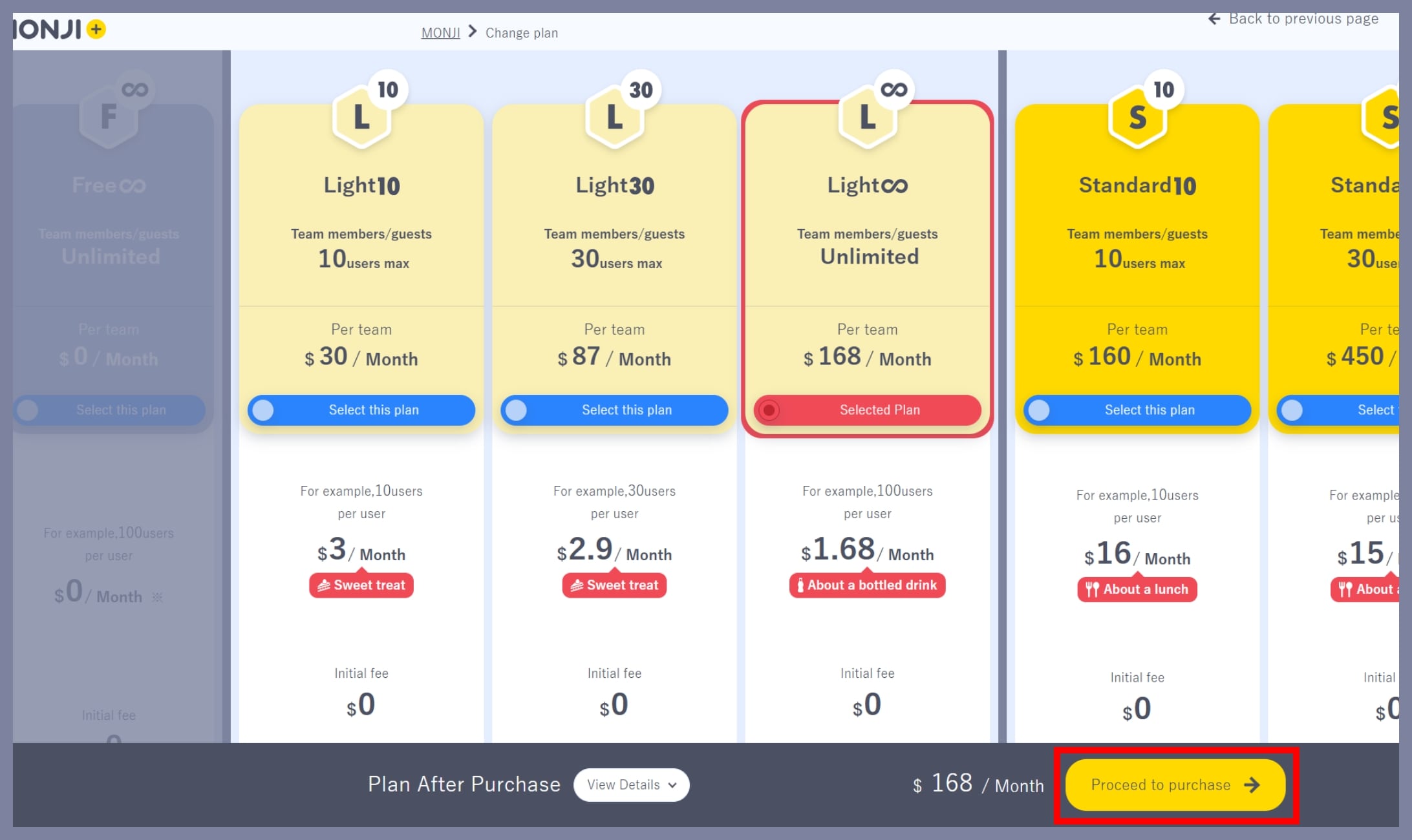
3. Proceed to purchase
Click the Proceed to Purchase button at the bottom right of the screen.
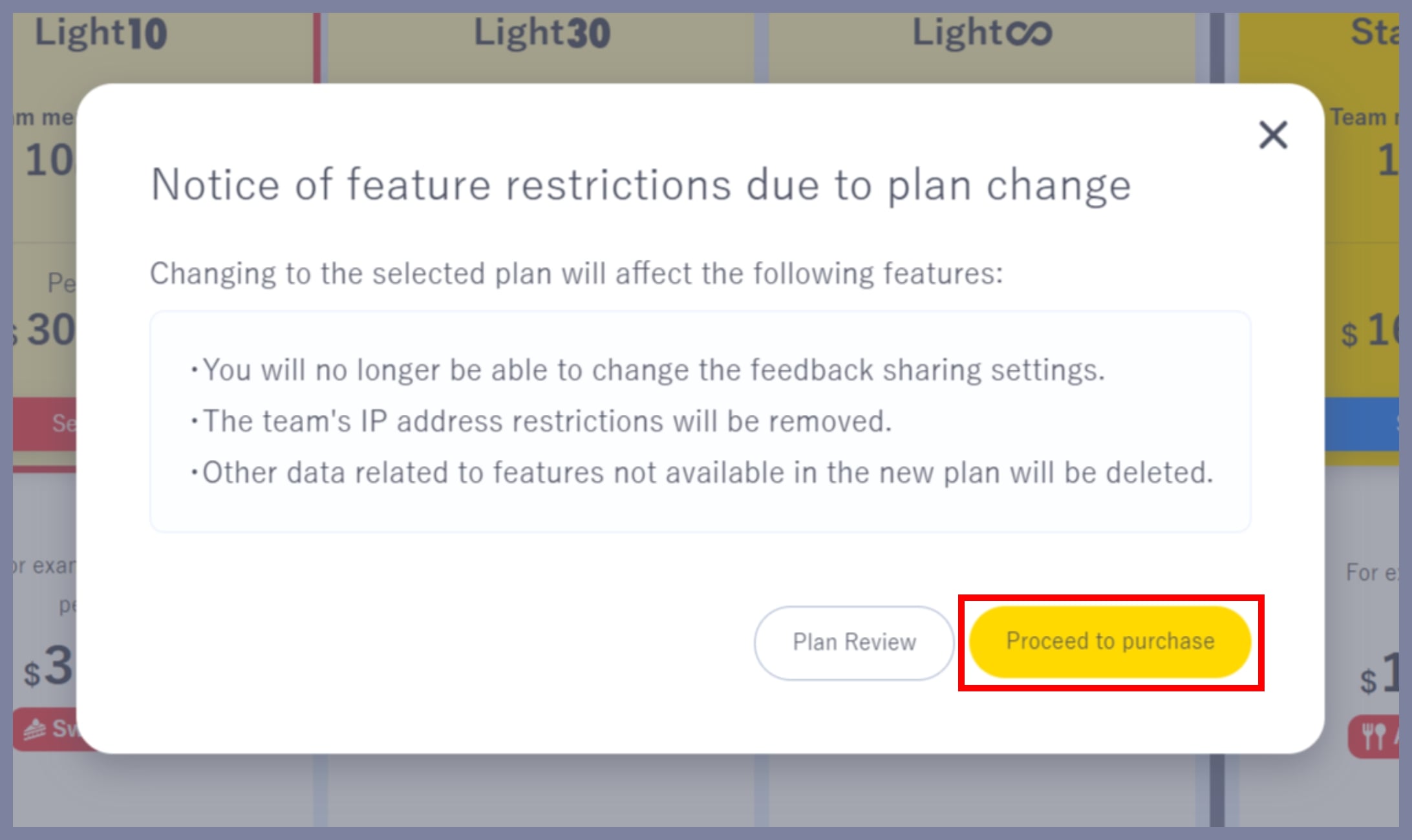
4. Review the notice regarding feature restrictions
Check the information carefully, then click Proceed to Purchase.
*This notice may not appear depending on the plan.
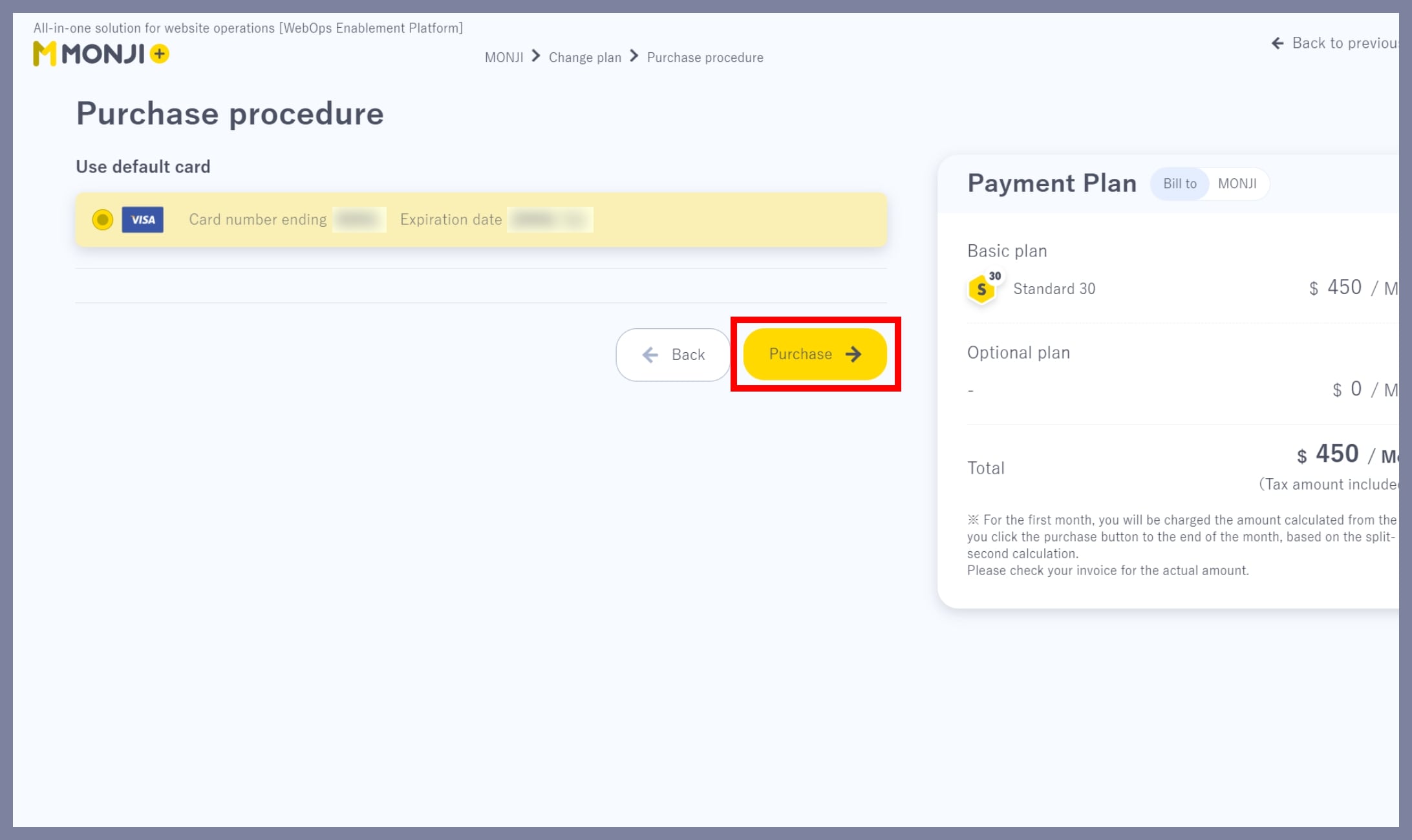
5. Complete the plan change
Select your payment method and click Purchase to complete the plan change.
*Only the team Owner or Admin can change the Basic Plan.
*Members and Guests cannot change the Basic Plan.