











We've added comment share links, which take people straight to a specific comment in your feedback. Share the comment you want someone to check with just one link. No more explaining where the comment is or asking people to hunt for it, so checking and fixing go more smoothly.
When comment share links come in handy
- You've replied to a comment and want someone to read your reply — When you say "I replied, please take a look," add the comment share link. They open it and see the whole thread, replies included, right away
- You want to check or discuss a specific comment — When you ask "What did you mean here?" or "How should we handle this fix?", add the comment share link to get straight to the point without explaining which comment you mean
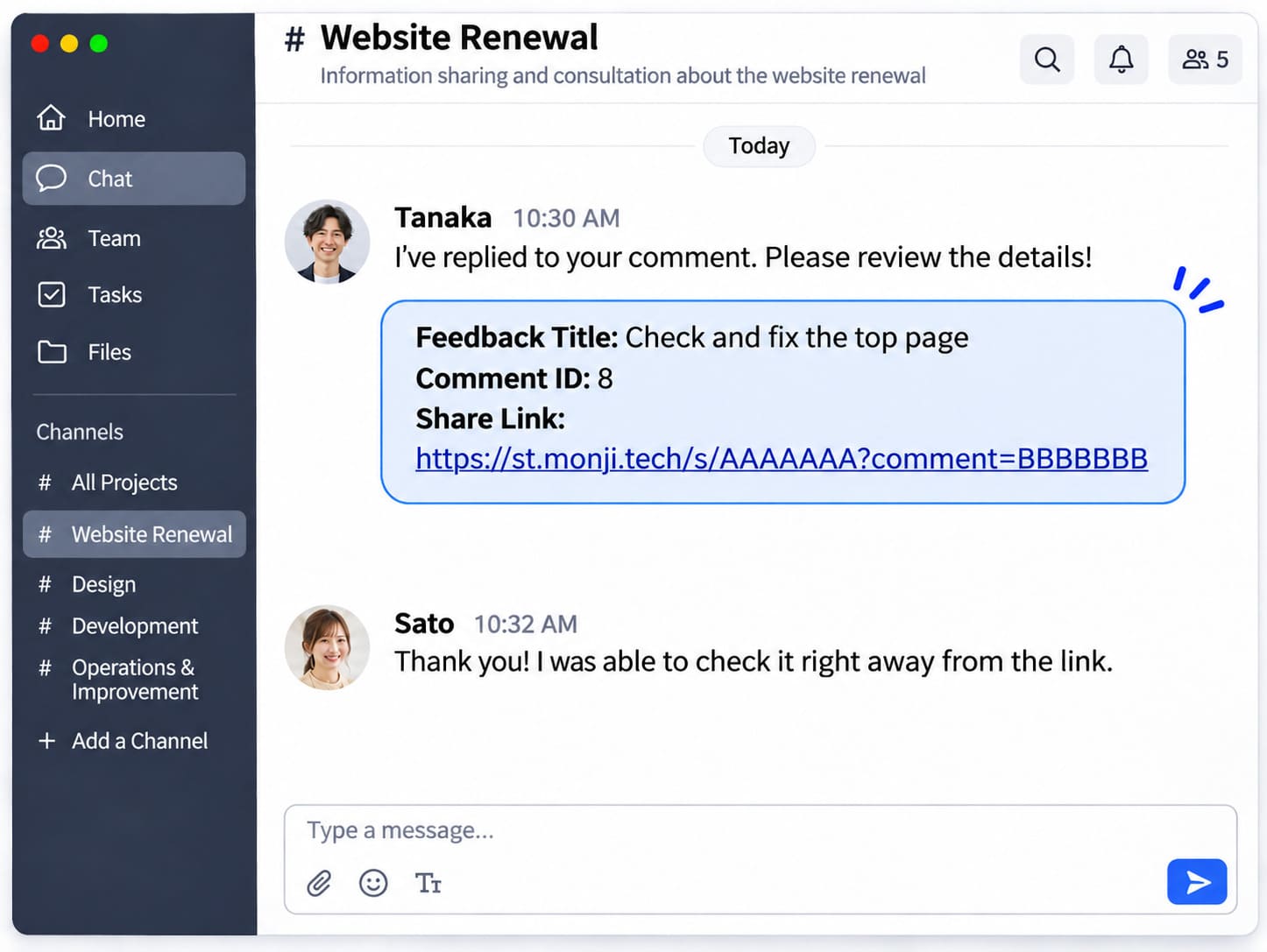
Comment share links are copied with the feedback title and comment number. Just paste it into chat or email, and the recipient knows which comment in which feedback you mean.
How to copy a comment share link
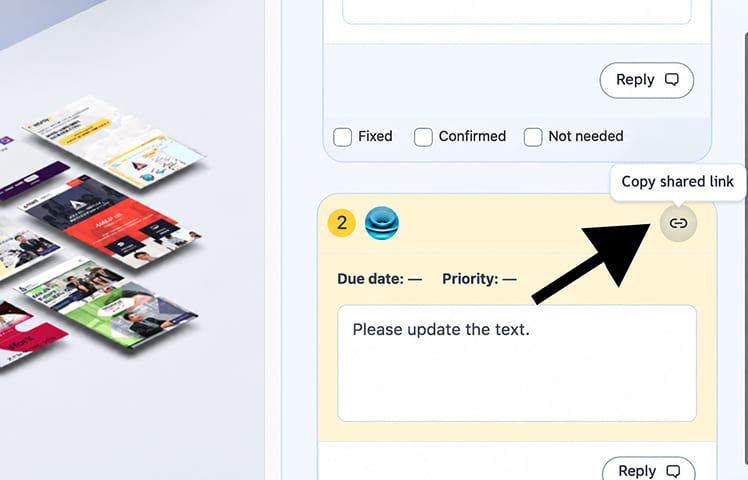
Click the Copy share link icon at the top right of a comment to copy that comment's share link. You can copy it from Editing the feedback, Viewing the feedback, or the public link view.
- Project members and guests can copy comment share links. On the public link view, the icon appears only for members and guests who are logged in
- For draft (unsent) feedback, you can copy the link after sending the feedback
- For a comment you've just added while editing, you can copy the link after it's saved
Comment share links are available on all plans, including the Free plan.
Recipients see the comment as soon as they open the comment share link
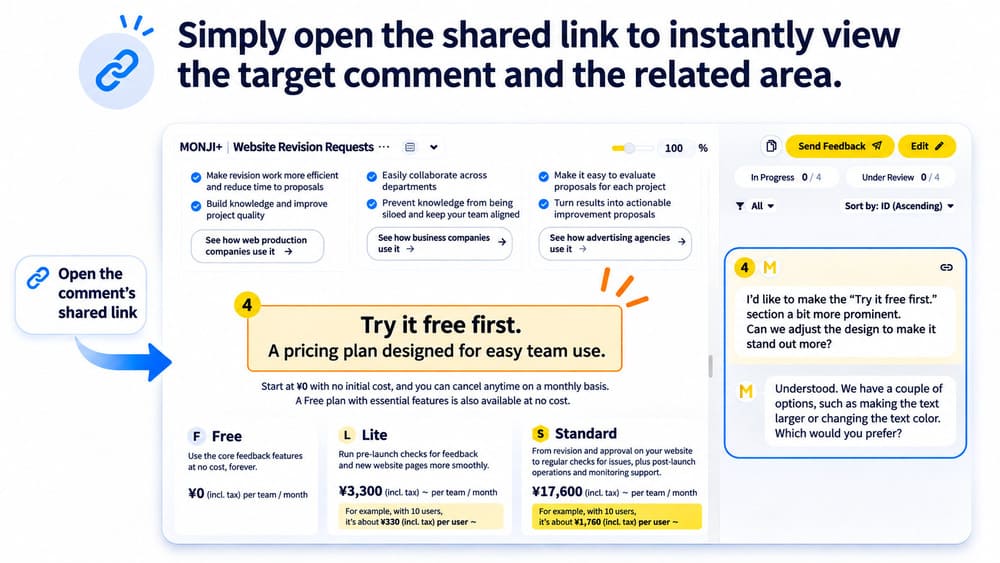
When you open a comment share link, the view screen shows:
- The page that has the comment — Even for comments on page 2 or later, there's no need to switch pages
- The highlighted spot on the image — The screen scrolls automatically to bring it to the center
- The comment in the comment list — The list scrolls to the comment and opens it, so you can read the replies too
Instead of explaining which page and which comment number, just send one link and everyone looks at the same spot.
Give it a try when reviewing fixes and working with your team.