












You can now drag and drop your projects into any order you like. Group the projects you use every day, or the ones you're focusing on right now, at the top to spend less time searching the list and get to work right away.
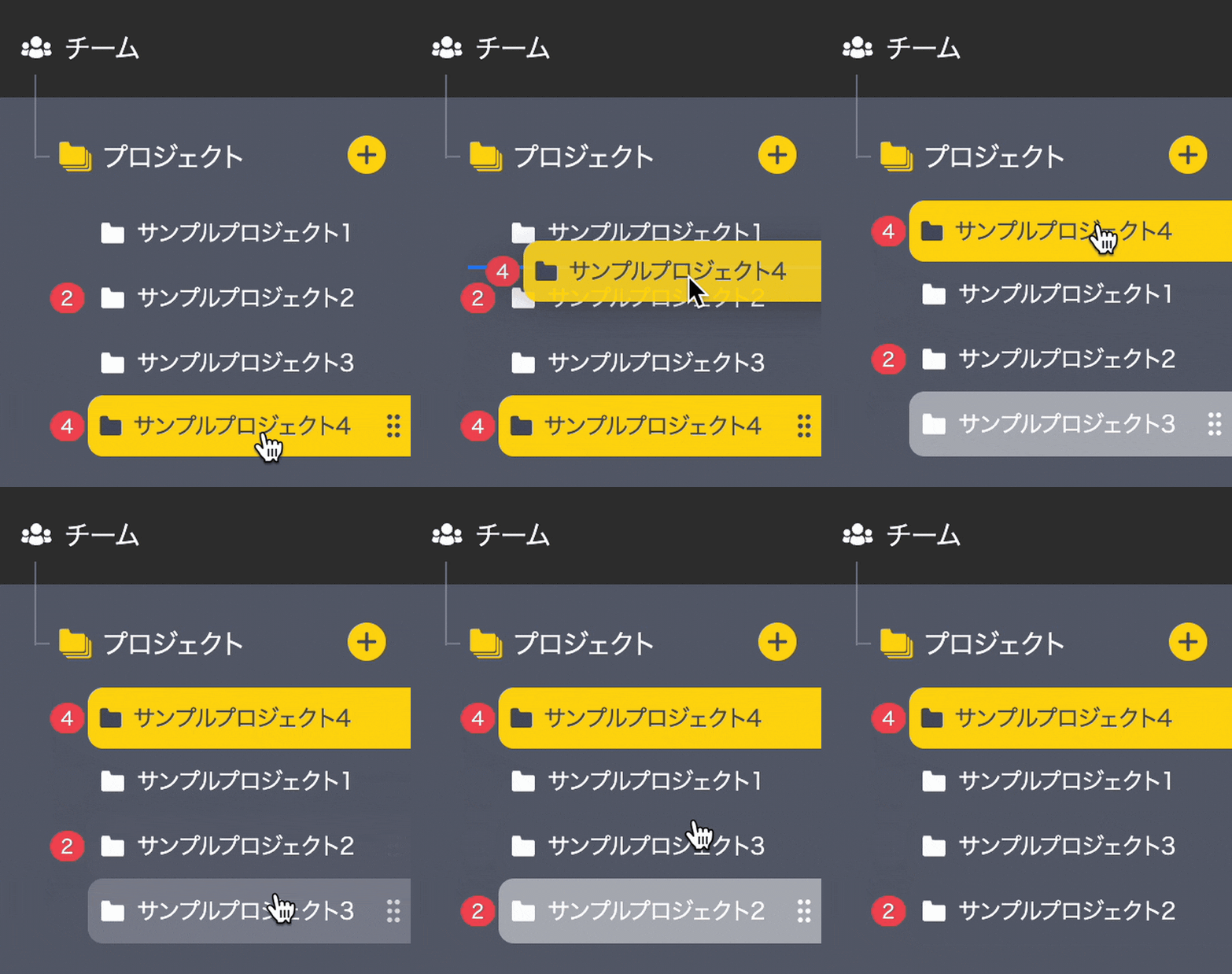
Your order is just for you. It doesn't affect what other members see.
Just drag, and it saves automatically
Just drag and drop projects on these two screens to reorder them.
- The Projects list screen — Drag a project card
- The side menu — Open the side menu and drag a project row
Whichever screen you use, the same order appears on both. Your order is saved automatically, so there's no need to click a save button. The Teams screen in My Page also shows projects in the order you set.
Give it a try to make your everyday work smoother.